Plex2Shell: How to check your Plex server and update it
Commented PLEX under my video? This is the checklist I promised. Plex2Shell is a chain of four security bugs in Plex Media Server that lets an attacker run their own code on your server without logging in. A working exploit (ready-made attack code) went public on October 16, 2026, and the first attacks were reported from October 17. Go through the steps below and you’ll know quickly whether your server is affected and what to do about it. I checked my own server exactly this way.
Quick summary
- Every Plex Media Server version below 1.43.3.10861 is affected. Plex says that build and anything newer is fixed.
- The biggest risk is a server that can be reached from the internet, for example through Remote Access or a port forward on your router.
- So far attackers have installed a crypto miner based on XMRig (it mines cryptocurrency on your electricity bill) and a proxy program that routes other people’s traffic through your internet connection.
- The fix is the update. After that you take a few minutes to check whether anything got in before you patched.
What you need
- Access to Plex Web (app.plex.tv) with the account that owns the server.
- For the Linux checks: a terminal on the server, either directly or over SSH (an encrypted remote command line). On Windows, Task Manager is enough.
Step 1: Check your version
Open Plex Web, click the wrench icon in the top right, then General under your server in the left sidebar. The version is listed there. Anything from 1.43.3.10861 up is safe. If you only see “1.43.3”, look at the number after it, because earlier 1.43.3 builds don’t include the fix.
On Debian or Ubuntu you can also check in the terminal:
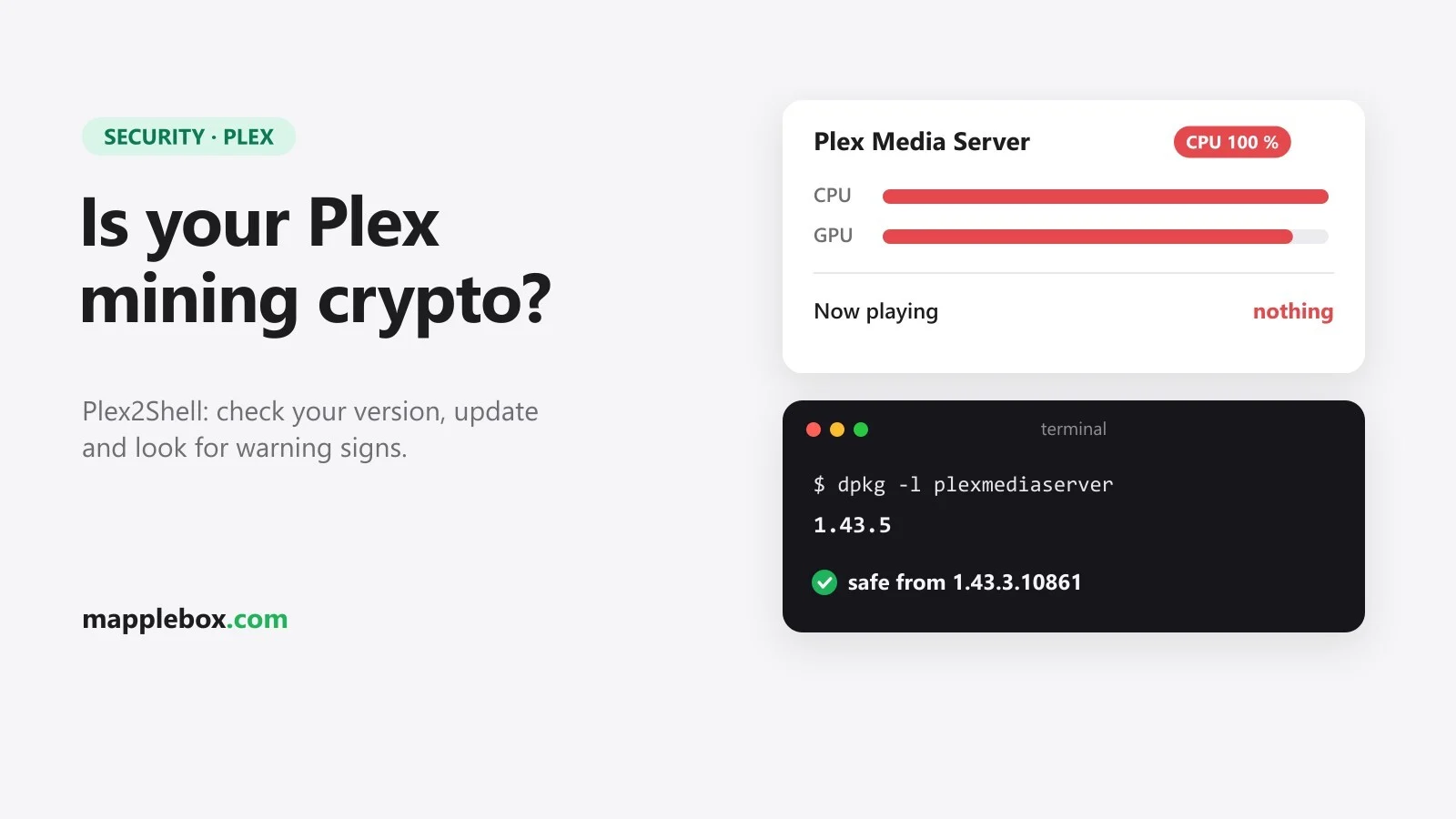
dpkg -l plexmediaserverIf Plex runs in Docker, the image tag often won’t tell you much. A tag like latest says nothing about the version that’s actually running, so go by what Plex Web shows.
Step 2: Update
Plex doesn’t update itself everywhere. Automatic updates only exist on Windows and macOS, and even there the default is “Ask me”. On Linux, in Docker and on a NAS you update by hand.
- Windows and macOS: download the current version from plex.tv/media-server-downloads and install it over the old one.
- Debian/Ubuntu with the Plex repository set up:
sudo apt update && sudo apt install plexmediaserver. Without the repository, grab the .deb package from the download page. - Docker Compose: in the folder with your
docker-compose.yml, rundocker compose pulland thendocker compose up -d. If you started the container withdocker run, pull the new image and recreate the container from it. - NAS: Plex warns that your NAS package center may lag behind. In that case install the package from the download page manually.
Then check the version again as in step 1.
Step 3: Check Remote Access
Anyone who can reach your server over the network can use this bug. In Plex Web, open the wrench menu and find Remote Access in the left sidebar. If it says your server is reachable from outside, it can be reached from the internet. If you don’t stream away from home, turn it off. Plex also advises against forwarding port 32400 straight through your router, so if you created a port forward like that yourself, delete it on the router. If you do want to stream on the go, a VPN into your home network is the safer route.
Step 4: Look for signs of compromise
Updating closes the hole, but it won’t remove anything that’s already there. If your server ran an old version after October 16 and was reachable from outside, do these checks. Every command here only reads and changes nothing.
CPU load: Plex lists high CPU use while nothing is playing as a warning sign. Open top or htop (Task Manager on Windows) and see what sits at the top when nobody is streaming.
Suspicious processes: reports name myawesomeproxy, mylovelyminer and x12345, plus XMRig and the domain proxystream.st on the command line. On Windows, look for these names in Task Manager under the Details tab. On Linux, this command searches for all of them:
ps aux | grep -Ei 'myawesomeproxy|mylovelyminer|x12345|xmrig|proxystream' | grep -v grepNo output is what you want. Also look at the processes Plex itself started (its child processes). Names starting with “Plex”, like Plex Transcoder or Plex Script Host, are normal. Anything else in that list is suspicious.
ps --ppid "$(pgrep -o -f 'Plex Media Server')" -o pid,%cpu,cmdOpen ports: sudo ss -tlnp shows which programs are waiting for connections. Plex itself shows up on port 32400. A port you can’t match to one of your own services deserves a closer look.
Codecs folder: according to Plex and several reports, attackers drop their file into Plex’s Codecs folder, and it runs again every time Plex transcodes. On Debian/Ubuntu it lives in the Plex data folder. This lists files added there since October 15:
sudo find "/var/lib/plexmediaserver/Library/Application Support/Plex Media Server/Codecs" -type f -newermt 2026-10-15 -lsIn Docker it sits in whatever folder you mounted as /config, under Library/Application Support/Plex Media Server/Codecs. On a default Windows install the folder is at %LOCALAPPDATA%\Plex Media Server\Codecs. Plex calls unfamiliar .so or .dll files with a recent date a warning sign. If Plex downloaded new codecs on its own in that time, harmless files can show up too. When in doubt, treat the server as compromised.
If you find something
Killing the miner process won’t do it, since it starts again on the next transcode. If you find a compromise or can’t rule one out, Plex recommends this:
- Take the server off the network.
- Rebuild Plex from a clean install, ideally from a backup made before October 16, and empty the Codecs folder.
- Check the Preferences.xml file in the Plex data folder for transcoder settings you didn’t set.
- Sign out of all devices in your Plex account and change your password. That also kills the stolen admin token (the digital key to your server).
- Treat everything the Plex service could reach as exposed, including network shares and other services on the same machine.
How it looked on my server
My server was already on 1.43.5. I had installed that update on October 5, before the exploit went public. Running the checks above turned up no miner or proxy processes, Plex itself sat at around 7 % CPU, and there were no unknown open ports.
Common questions
My server is only reachable at home. Do I still need to update? Yes. The risk is a lot smaller, but any device on your network could use the bug, and the update takes a few minutes.
My NAS doesn’t show an update? Download the right package for your NAS from the Plex download page and install it manually through the package center.
Wrapping up
Check the version, update to 1.43.3.10861 or newer, turn off Remote Access if you don’t need it, and look for leftovers once. That covers Plex2Shell. Want more Plex? Here’s how to get hardware transcoding working with an Intel Arc A310, and what helps when your LG TV has no sound with DTS. New guides and security heads-ups like this one go out through my newsletter.
Did this guide help you? You can buy me a coffee on Ko-fi. It keeps MappleBox ad-free.