Plex LG TV DTS No Sound? Fix It with an Apple TV
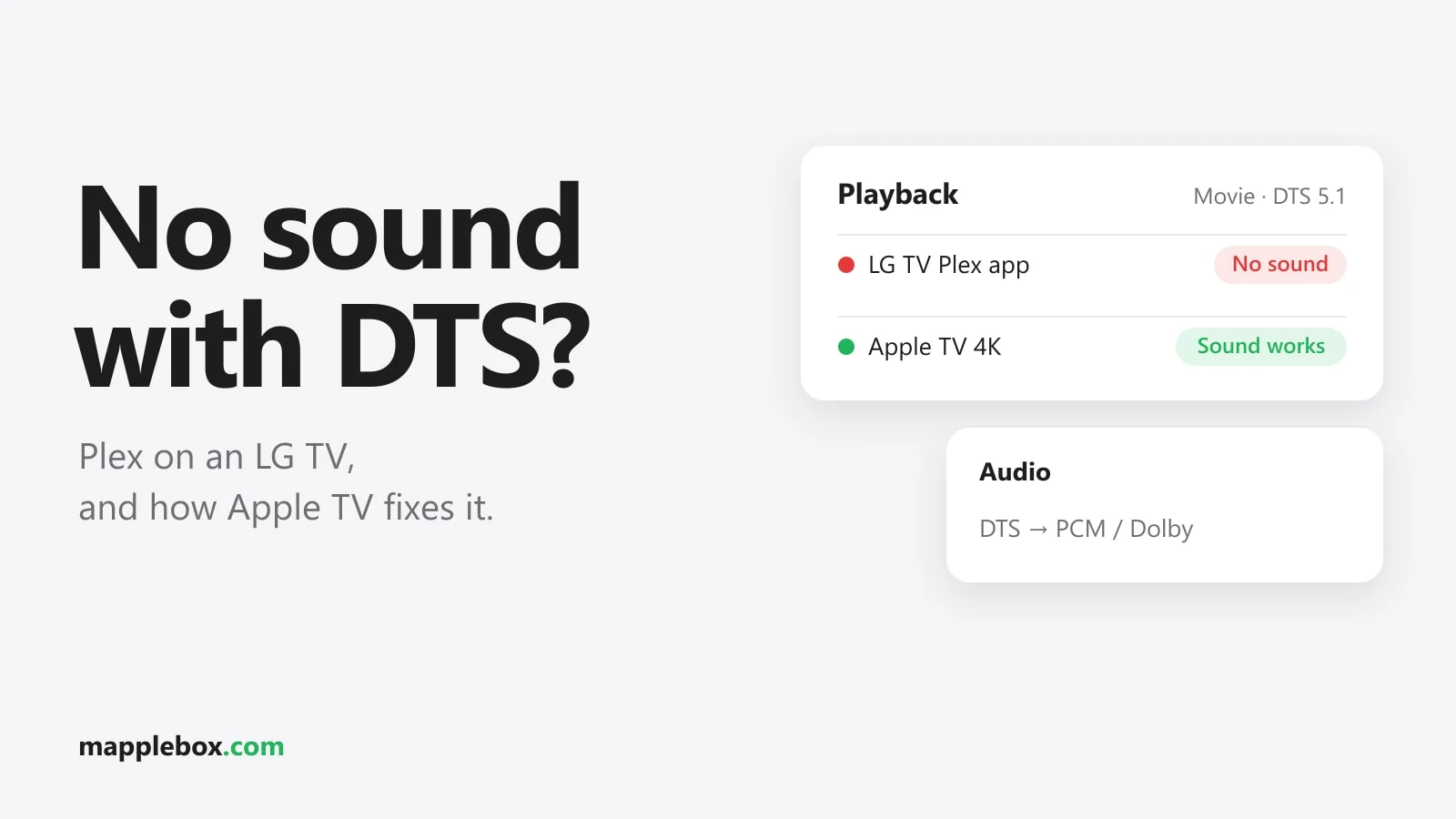
Do your movies with a DTS audio track stutter on your LG TV, loop back to the same spot or play with no sound at all? In most cases the cause is the TV itself, and you don’t need to change anything on your Plex server. In this guide you’ll learn why this happens and how to play DTS files with Direct Play on an Apple TV. On my LG OLED65C2 it only worked after a tvOS update.
Quick summary
- DTS is a surround sound format that many movie files use. Some TVs, including the LG C2, can neither play it nor pass it through.
- Direct Play means the Plex server sends the file to the player unchanged. With a transcode, the server first converts the video or audio into a different format.
- This guide is for you if Plex on your LG TV stutters, freezes or stays silent with DTS movies.
- You need an Apple TV 4K, a soundbar or AV receiver connected to the TV’s eARC port, and access to your server’s Plex dashboard.
The setup this is about
- LG OLED65C2 with the Plex app for webOS
- Sonos Beam (Gen 2)* as the soundbar, connected over eARC
- Plex Media Server in my homelab, with the movies stored on a NAS
Why the LG C2 can’t handle DTS
The C2 doesn’t support DTS at all, not even as passthrough. So the TV can neither play a DTS track itself nor simply pass it on to the soundbar over eARC. The Sonos never even sees it.
For Plex this means that as soon as a file only has a DTS track, the server has to transcode the audio for the webOS app. The video can stay unchanged, but the file is still delivered as a new stream.
How to spot the problem in the Plex app on webOS
It’s worst with DTS files that have long GOPs, meaning a large gap between keyframes (the full frames a video can start playing from). Plex then packs the stream into HLS segments, and with files like these the segments get huge. The webOS app can’t cope with that. Depending on the file, playback keeps jumping back to the same spot, stutters or runs without sound.
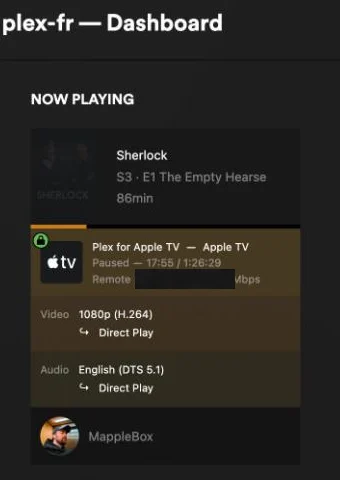
You can see this clearly in the Plex dashboard. When a movie plays on the LG, the session shows “Direct Stream” for the video and “Transcode” for the audio track instead of Direct Play. So the picture stays unchanged and only the audio gets converted.
The segments get so big because of the keyframes. An HLS segment can only start at a keyframe. When Plex leaves the video alone and only re-encodes the audio, the segment boundaries follow the keyframes of the original file. If those are far apart, every segment gets just as long and large, and the player has to load a lot more data in one go before it can keep playing.
To check which audio track a file has, open the movie’s info view in the Plex web app. For me, the movies that caused trouble on the LG were exactly the ones that listed only DTS as audio there.
The fix: an Apple TV 4K on the same TV
Instead of fiddling with the webOS app, connect an Apple TV 4K* to the same TV. The Plex app on the Apple TV then plays the file directly, the server doesn’t need to transcode at all, and the webOS app is out of the picture.
Why it works with the Apple TV
The Apple TV doesn’t pass DTS through as a bitstream. Instead, the Plex app on tvOS decodes the DTS track on the device itself and sends the sound out over HDMI as uncompressed multichannel PCM. The server delivers the file unchanged, which is why the dashboard shows Direct Play. The TV no longer needs to understand DTS. It just passes the PCM on to the soundbar.
For surround sound on the soundbar you need eARC. The older ARC only carries Dolby Digital (Plus) or stereo PCM. Multichannel PCM doesn’t get through, and at best you’ll hear stereo.
Check this before you buy
- Your soundbar or receiver is connected to the TV’s eARC port, and eARC is turned on in the TV’s sound settings.
- The spec sheet of your soundbar or receiver lists “Multichannel PCM” as a supported format.
- Once everything is connected, leave the “Change Format” switch off on the Apple TV under Settings → Video and Audio → Audio Format. The Apple TV then automatically picks the best format your system supports. According to Apple, you only need “Dolby Digital 5.1” if your system supports neither Dolby Atmos nor multichannel PCM.
If you don’t want to buy an Apple TV, you can also convert the DTS track once into E-AC-3 (Dolby Digital Plus), which the LG understands. With ffmpeg the video stays unchanged and only the audio is re-encoded: ffmpeg -i film.mkv -map 0 -c copy -c:a eac3 -b:a 640k film-eac3.mkv. A 7.1 track gets downmixed to 5.1 in the process.
One thing to watch for: in my first test, Plex on the Apple TV had no sound either. YouTube on the same device did have sound, so the connection between Apple TV, TV and soundbar was fine. Do this cross-check with another app yourself. Then you know the problem is Plex on that specific box.
No sound on the Apple TV? Fix it with a tvOS update
Check which tvOS version your Apple TV is running. You’ll find it under Settings → General → About. To update, go to Settings → System → Software Updates → Update Software, and if an update is available, select “Download and Install” (see Apple Support). Mine was still on tvOS 26. After updating to tvOS 27, Plex played the files with Direct Play, with sound.
To be honest, I don’t fully understand why. I have a second Apple TV that still runs tvOS 26, and Plex worked with sound there from the start. So it can’t be tvOS 26 in general. The update fixed something on this one box, and I don’t know exactly what. My advice: install the update first anyway, before you start tinkering with Plex or the soundbar.
Check that Direct Play is working
After the update, the Apple TV should also play the DTS files that used to get stuck in the webOS app with Direct Play. With very large files the first load takes a moment, then the movie plays smoothly. Look at the Plex dashboard: those sessions should now show Direct Play instead of Transcode.
Wrapping up: what to do with an LG TV and a DTS library
- Check whether your LG model supports DTS at all. The C2 doesn’t, and it can’t pass it through to the soundbar either.
- If a large part of your library uses DTS, play Plex through an external player like the Apple TV 4K instead of the webOS app.
- If Plex on the Apple TV has no sound while other apps like YouTube do, install the latest tvOS update first.
- The Plex dashboard shows for every session whether it’s using Direct Play or transcoding the audio.
Have you gotten DTS working on a different TV or player? Let me know in the comments.
* Affiliate link: As an Amazon Associate I earn from qualifying purchases. It costs you nothing extra. More info
Did this guide help you? You can buy me a coffee on Ko-fi. It keeps MappleBox ad-free.