Self-Hosted Video Transcriber with Whisper
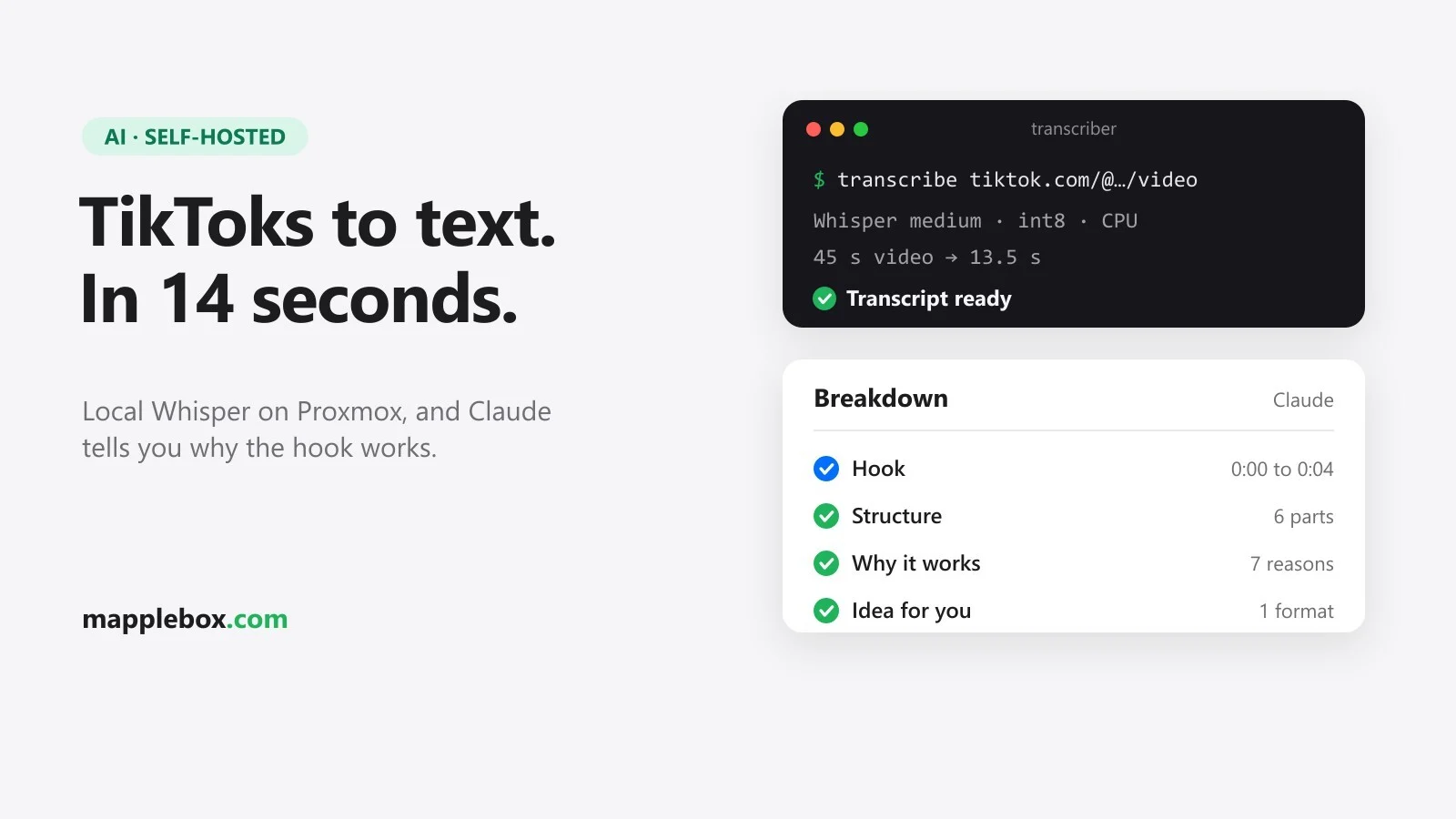
A self-hosted transcriber turns TikToks, YouTube videos and Instagram Reels into text in a few seconds. You paste a link and get the spoken words back, plus an optional AI analysis of why the video works. Transcription runs entirely on your own server and costs nothing; only the optional analysis goes through the Anthropic API. My setup runs in an LXC container on a mini PC with an AMD Ryzen 9 and no graphics card. A 45-second TikTok is done in 13.5 seconds there, and in one evening I worked through about 30 videos from homelab and AI creators with it.
Quick summary
- yt-dlp (a command-line tool for downloading videos) grabs the audio, and faster-whisper (a fast version of OpenAI’s Whisper speech recognition) transcribes it on your own hardware.
- You get a small web interface, an API and an MCP server. MCP (Model Context Protocol) is the standard Claude uses to talk to external tools, so Claude Code can call the transcriber by itself.
- Optionally, Claude Haiku analyses the transcript: summary, hook, structure with timestamps, call to action, translation and an idea for your own content.
- Everything runs in a Docker container inside an unprivileged LXC on Proxmox, reachable only from your home network and over Tailscale. An LXC is a lightweight Linux container. Unprivileged means that root inside the container has no root rights on the Proxmox host.
- You need Proxmox, some comfort with the Linux shell and, for the analysis, an Anthropic API key.
What you need
- A Proxmox server. My container has 8 CPU cores, 8 GB of RAM and 24 GB of disk. You don’t need a GPU; Whisper runs on the CPU here.
- Docker inside the LXC. Step 1 shows how.
- A reverse proxy such as Caddy if you want to reach the tool under a hostname with HTTPS. A reverse proxy receives requests and passes them on to the right service. For access on the go I use Tailscale, a VPN that puts your devices on one private network.
- For the analysis, an API key from the Claude Console. The analysis uses API credits; the transcription doesn’t.
- To use it as a tool: Claude Code on your computer.
I only use the transcriber for my own research. Downloading videos may break a platform’s terms of service, and transcripts of other people’s videos aren’t yours to republish. Decide for yourself what you’re comfortable with.
How the transcriber works
You send a link to the app, yt-dlp downloads the audio into a temporary folder, and faster-whisper transcribes it. I use the medium model with int8, a compact number format that runs well on a CPU. A VAD filter (voice activity detection) skips parts without speech, and Whisper detects the language on its own. On my Ryzen 9 that’s roughly four times faster than real time: a 208-second video was done after 53.5 seconds, download and transcription included.
If an Anthropic API key is set, the app sends the finished transcript with timestamps to Claude Haiku and stores the answer as JSON, a simple text format for structured data. Only one job runs at a time; the rest wait in a queue. Every result is saved as .json and .txt in the data folder, and videos longer than 15 minutes are rejected.
TikTok gave me a real bug to fix. The audio-only stream TikTok offers is often just the attached sound, meaning the background music, without the voice. My first TikTok transcripts came back empty because of that. So for TikTok the code downloads the smallest video that has sound, which carries the actual voice track. For YouTube and Instagram it still takes the best audio-only stream.
Step 1: Create an LXC with Docker
The quickest way to an LXC with Docker is the Docker script from the Proxmox Helper Scripts. I explain how those scripts work in my Proxmox Helper Scripts guide. Run it in the shell of your Proxmox host:
bash -c "$(curl -fsSL https://raw.githubusercontent.com/community-scripts/ProxmoxVE/main/ct/docker.sh)"The script asks you a few questions. Pick Debian as the operating system. Answer n to “Expose Docker TCP socket”, because an open Docker socket gives anyone on the network control over your Docker without a password. Later, in the container’s console, check that Docker Compose came along with docker compose version. It should print a version number.
At the time of writing, the script creates an unprivileged container with 2 cores, 2 GB of RAM and 4 GB of disk by default. That’s too little for Whisper. You can change the values in the script’s advanced settings or adjust them afterwards on the Proxmox host. 120 stands for your container’s ID:
pct set 120 --cores 8 --memory 8192 --features nesting=1,keyctl=1
pct resize 120 rootfs 24G
pct reboot 120
Docker needs nesting and keyctl to run in an unprivileged LXC. pct resize without a plus sign sets the disk to exactly 24 GB; it can’t shrink a disk. According to Hugging Face, a platform that hosts AI models for download, the Whisper model alone is about 1.5 GB. On top of that come the Docker image, the ready-built template Docker starts the container from, and your transcripts.
If you’d rather use a plain Debian LXC and install Docker yourself, follow the official Debian instructions. You still need the nesting and keyctl features.
Step 2: Create the project folder
The complete code is also on GitHub as a ready-made repository (a code project): mapplebox/whisper-video-transcriber. Run these commands in the container console to get it and skip steps 2 to 5:
apt install -y git
git clone https://github.com/mapplebox/whisper-video-transcriber.git /opt/transcriber
cd /opt/transcriber
mkdir -p data
cp .env.example .env
chmod 600 .env
After that, you only fill in your values in .env in step 6 and continue with step 7. If you want to see what’s inside the files or change something, just work through the steps below. The code there is the same as in the repository.
Open the container’s console (in Proxmox: select the container, then “Console”) and create the folders:
mkdir -p /opt/transcriber/app/static /opt/transcriber/data
cd /opt/transcriber
When you’re done, the folder looks like this:
/opt/transcriber
├── Dockerfile
├── docker-compose.yml
├── requirements.txt
├── .env
├── .dockerignore   (optional)
├── app/
│   ├── main.py
│   └── static/
│       └── index.html
└── data/
Create each file with an editor, for example nano requirements.txt. Paste the content, save with Ctrl+O and Enter, and close with Ctrl+X. Do the same for every file in the next steps. Pasting long files like main.py into the Proxmox web console is tedious. If SSH runs in the container, it’s easier to connect from your computer. Or save the file on the Proxmox host and push it into the container from there: pct push 120 main.py /opt/transcriber/app/main.py.
Step 3: requirements.txt and Dockerfile
requirements.txt lists the Python packages. Most are pinned to a fixed version so a new build doesn’t suddenly behave differently. yt-dlp is left unpinned on purpose: platforms like TikTok change things all the time, and only a current version keeps up.
fastapi==0.143.1
uvicorn==0.54.0
pydantic==2.14.1
faster-whisper==1.2.1
av==13.1.0
mcp==1.30.0
requests
yt-dlp
The Dockerfile builds the image on Python 3.12. yt-dlp needs ffmpeg to process audio and video. The health check calls /health once a minute, so docker ps tells you whether the app is up.
FROM python:3.12-slim
RUN apt-get update && apt-get install -y --no-install-recommends ffmpeg ca-certificates && rm -rf /var/lib/apt/lists/*
WORKDIR /srv
COPY requirements.txt .
RUN pip install --no-cache-dir -r requirements.txt
COPY app ./app
ENV DATA_DIR=/data PYTHONUNBUFFERED=1
EXPOSE 8000
HEALTHCHECK --interval=60s --timeout=5s CMD python -c "import urllib.request;urllib.request.urlopen('http://127.0.0.1:8000/health')"
CMD ["uvicorn", "app.main:app", "--host", "0.0.0.0", "--port", "8000"]
At the time of writing, yt-dlp also needs a JavaScript runtime for YouTube, and Deno is the recommended one. The Dockerfile above doesn’t include it. If you want to transcribe YouTube links, add COPY --from=denoland/deno:bin-2.9.7 /deno /usr/local/bin/deno right below the first line, and write yt-dlp[default] instead of yt-dlp in requirements.txt. You can swap the version number in the image name for the current one from Docker Hub.
Optionally, add a .dockerignore file. It keeps Docker from reading the data folder and the secrets into the build at all. The Dockerfile doesn’t copy either of them into the image anyway, so this is just good hygiene:
data/
.env
Step 4: The app (main.py)
The core is app/main.py, about 320 lines of Python using FastAPI, a small web framework. So you know what you’re copying, here are the main parts:
- At the top the app reads its settings from environment variables: model, threads, maximum video length, the tokens and the API key. Only TikTok, YouTube and Instagram links are accepted.
download_audiofetches the audio with yt-dlp, including the TikTok rule from above.ANALYSIS_PROMPTandanalyze_jobsend the transcript to the Anthropic API and expect JSON back.run_jobandstart_jobhandle download, transcription and analysis in a background thread and save the result.- The four functions marked
@mcp.tool()are the tools Claude will see:transcribe_video,list_transcripts,get_transcriptandanalyze_transcript. - The routes under
/api/serve the web interface. At the very bottom,_McpAuthmakes sure/mcponly answers with the right bearer token. A bearer token is a secret key the client sends in an HTTP header. If noMCP_TOKENis set,/mcpstays closed. The MCP part also only accepts requests for host names listed inMCP_ALLOWED_HOSTS; more on that in step 6.
I wrote the analysis prompt in German and tailored it to my own site, so it mentions mapplebox.de and asks for an “idea for MappleBox”. Save the full block below as app/main.py first. The English replacement for the prompt follows right after it.
"""TikTok transcriber: paste a video link, get the spoken text.

yt-dlp fetches only the audio, faster-whisper transcribes it locally (no cloud). One job at a time, results are kept
as JSON + .txt in DATA_DIR. Internal tool, meant to sit behind a reverse proxy that only allows the LAN/tailnet.
"""
import contextlib
import json
import os
import urllib.request
import re
import tempfile
import threading
import time
import uuid
from pathlib import Path

from fastapi import FastAPI, Header, HTTPException
from fastapi.responses import FileResponse, PlainTextResponse
from fastapi.staticfiles import StaticFiles
from pydantic import BaseModel

DATA_DIR = Path(os.environ.get("DATA_DIR", "/data"))
MODEL_NAME = os.environ.get("WHISPER_MODEL", "medium")
COMPUTE_TYPE = os.environ.get("WHISPER_COMPUTE", "int8")
CPU_THREADS = int(os.environ.get("WHISPER_THREADS", "8"))
DEFAULT_LANG = os.environ.get("DEFAULT_LANGUAGE", "") or None  # empty = auto-detect
API_TOKEN = os.environ.get("API_TOKEN", "")  # optional: required as Bearer token for /api/* if set
MAX_SECONDS = int(os.environ.get("MAX_DURATION_SECONDS", "900"))
ANTHROPIC_KEY = os.environ.get("ANTHROPIC_API_KEY", "")
AI_MODEL = os.environ.get("AI_MODEL", "claude-haiku-5-5")
MCP_TOKEN = os.environ.get("MCP_TOKEN", "")  # required as Bearer token for /mcp
ALLOWED = re.compile(r"^https?://([a-z0-9-]+\.)*(tiktok\.com|youtube\.com|youtu\.be|instagram\.com)/", re.I)

DATA_DIR.mkdir(parents=True, exist_ok=True)
_model = None
_model_lock = threading.Lock()
_job_lock = threading.Lock()  # whisper on CPU: one transcription at a time
_jobs = {}  # id -> status dict (in memory, finished ones also on disk)


def model():
    global _model
    with _model_lock:
        if _model is None:
            from faster_whisper import WhisperModel
            _model = WhisperModel(MODEL_NAME, device="cpu", compute_type=COMPUTE_TYPE, cpu_threads=CPU_THREADS,
                                  download_root=str(DATA_DIR / "models"))
        return _model


def check_token(authorization):
    if API_TOKEN and authorization != f"Bearer {API_TOKEN}":
        raise HTTPException(401, "missing or wrong token")


def download_audio(url, workdir):
    import yt_dlp
    # TikTok's audio-only format is the attached "sound" (often just the music), not the
    # video's own mix, so take the smallest muxed video there; it carries the real voice track.
    fmt = "worst[vcodec!=none][acodec!=none]/best" if "tiktok.com" in url else "bestaudio/best"
    opts = {"format": fmt, "outtmpl": str(Path(workdir) / "audio.%(ext)s"), "quiet": True,
            "noplaylist": True, "no_warnings": True, "match_filter": yt_dlp.utils.match_filter_func(
                f"duration <= {MAX_SECONDS}")}
    with yt_dlp.YoutubeDL(opts) as ydl:
        info = ydl.extract_info(url, download=True)
    files = list(Path(workdir).glob("audio.*"))
    if not files:
        raise RuntimeError("no audio downloaded (too long, private or removed?)")
    return files[0], info


ANALYSIS_PROMPT = """Du analysierst ein Kurzvideo (TikTok, Reel oder Short) für einen deutschen Creator, der Guides zu
Homelab, Streaming-Setups, Gaming und Tech macht (mapplebox.de). Antworte nur mit JSON in genau diesem Format:
{"zusammenfassung": "2 bis 3 Sätze, worum es geht",
 "hook": "was in den ersten 3 Sekunden passiert oder gesagt wird und warum es zum Weiterschauen bringt",
 "aufbau": ["Abschnitt 1 mit Zeitangabe", "..."],
 "warum_es_funktioniert": ["Grund 1", "..."],
 "cta": "Call to Action im Video, oder leer",
 "uebersetzung_de": "deutsche Übersetzung des Transkripts, nur wenn das Video nicht auf Deutsch ist, sonst leer",
 "idee_mapplebox": "eine konkrete Idee, wie man das Format für ein eigenes MappleBox-Thema nutzen könnte"}
Bleib bei dem, was im Transkript und in den Metadaten steht. Erfinde keine Inhalte."""


def analyze_job(job):
    if not ANTHROPIC_KEY:
        raise RuntimeError("no ANTHROPIC_API_KEY configured")
    lines = "\n".join(f"[{s['start']:.0f}s] {s['text']}" for s in job.get("segments", []))
    user = (f"Titel: {job.get('title', '')}\nKanal: {job.get('uploader', '')}\nLänge: {job.get('duration')} s\n"
            f"Views: {job.get('views')} / Likes: {job.get('likes')}\n"
            f"Sprache: {job.get('language')}\n\nTranskript mit Zeitstempeln:\n{lines or '(kein gesprochener Text)'}")
    body = json.dumps({"model": AI_MODEL, "max_tokens": 8000, "system": ANALYSIS_PROMPT,
                       "messages": [{"role": "user", "content": user}]}).encode()
    req = urllib.request.Request("https://api.anthropic.com/v1/messages", data=body, method="POST", headers={
        "x-api-key": ANTHROPIC_KEY, "anthropic-version": "2023-06-01", "content-type": "application/json"})
    with urllib.request.urlopen(req, timeout=120) as r:
        resp = json.loads(r.read())
    text = "".join(c.get("text", "") for c in resp.get("content", []) if c.get("type") == "text").strip()
    m = re.search(r"\{.*\}", text, re.S)
    try:
        return json.loads(m.group(0)) if m else {"zusammenfassung": text}
    except ValueError:
        return {"zusammenfassung": text}


def save(job):
    (DATA_DIR / f"{job['id']}.json").write_text(json.dumps(job, ensure_ascii=False, indent=1), encoding="utf-8")


def run_job(job_id, url, language, analyze=False):
    job = _jobs[job_id]
    with _job_lock:
        job["status"] = "running"
        started = time.time()
        try:
            with tempfile.TemporaryDirectory() as tmp:
                audio, info = download_audio(url, tmp)
                segments, meta = model().transcribe(str(audio), language=language or DEFAULT_LANG,
                                                    vad_filter=True, beam_size=5)
                segs = [{"start": round(s.start, 2), "end": round(s.end, 2), "text": s.text.strip()} for s in segments]
            text = " ".join(s["text"] for s in segs).strip()
            job.update(status="done", text=text, segments=segs, language=meta.language,
                       title=info.get("title") or "", uploader=info.get("uploader") or "",
                       duration=info.get("duration"), views=info.get("view_count"), likes=info.get("like_count"),
                       comments=info.get("comment_count"), upload_date=info.get("upload_date"), seconds=round(time.time() - started, 1))
        except Exception as e:  # noqa: BLE001 - report every failure to the UI
            job.update(status="error", error=str(e)[:500])
        if job["status"] == "done" and analyze and ANTHROPIC_KEY:
            job["status"] = "analyzing"
            try:
                job["analysis"] = analyze_job(job)
            except Exception as e:  # noqa: BLE001 - transcript stays usable without analysis
                job["analysis_error"] = str(e)[:300]
            job["status"] = "done"
        job["finished"] = time.strftime("%Y-%m-%d %H:%M:%S")
        save(job)
        if job["status"] == "done":
            (DATA_DIR / f"{job_id}.txt").write_text(job["text"] + "\n", encoding="utf-8")


class TranscribeIn(BaseModel):
    url: str
    language: str | None = None
    wait: bool = False
    analyze: bool = True


def start_job(url, language=None, analyze=True, wait=False):
    url = url.strip()
    if not ALLOWED.match(url):
        raise ValueError("only TikTok, YouTube or Instagram links")
    job_id = uuid.uuid4().hex[:12]
    _jobs[job_id] = {"id": job_id, "url": url, "status": "queued", "created": time.strftime("%Y-%m-%d %H:%M:%S")}
    t = threading.Thread(target=run_job, args=(job_id, url, language, analyze), daemon=True)
    t.start()
    if wait:
        t.join()
    return _jobs[job_id]


# ---------- MCP (streamable HTTP at /mcp, Bearer MCP_TOKEN) ----------
from mcp.server.fastmcp import FastMCP  # noqa: E402
from mcp.server.transport_security import TransportSecuritySettings  # noqa: E402

# The SDK rejects requests whose Host header isn't allowed (DNS rebinding protection). Behind a reverse proxy the
# Host is the public name, so list every name you reach /mcp by in MCP_ALLOWED_HOSTS (comma-separated, host:port ok).
_hosts = ["127.0.0.1:*", "localhost:*"] + [h.strip() for h in os.environ.get("MCP_ALLOWED_HOSTS", "").split(",") if h.strip()]
mcp = FastMCP("transcriber", stateless_http=True, json_response=True, streamable_http_path="/mcp",
              transport_security=TransportSecuritySettings(enable_dns_rebinding_protection=True, allowed_hosts=_hosts))


@mcp.tool()
def transcribe_video(url: str, language: str | None = None, analyze: bool = True) -> dict:
    """Transcribe a TikTok, YouTube or Instagram video (speech to text with local Whisper) and optionally analyse it
    with Claude: summary, hook, structure, why it works, CTA, German translation, an idea for MappleBox. Blocks until
    done: short clips take seconds, long videos a few minutes. language: ISO code like "de", or None to auto-detect."""
    j = start_job(url, language, analyze, wait=True)
    return {k: j.get(k) for k in ("id", "status", "error", "title", "uploader", "duration", "views", "likes", "language", "text",
                                  "analysis", "analysis_error")}


@mcp.tool()
def list_transcripts(limit: int = 20) -> list:
    """List recent transcripts (id, title, uploader, url, date)."""
    return _list(limit)["done"]


@mcp.tool()
def get_transcript(transcript_id: str) -> dict:
    """Get one transcript with text, timestamps and analysis by id."""
    return load(transcript_id)


@mcp.tool()
def analyze_transcript(transcript_id: str) -> dict:
    """Run (or re-run) the Claude analysis for an existing transcript."""
    return _analyze(transcript_id)


_mcp_app = mcp.streamable_http_app()


@contextlib.asynccontextmanager
async def lifespan(_app):
    async with mcp.session_manager.run():
        yield


app = FastAPI(title="Transcriber", lifespan=lifespan)


@app.post("/api/transcribe")
def transcribe(body: TranscribeIn, authorization: str | None = Header(default=None)):
    check_token(authorization)
    try:
        return start_job(body.url, body.language, body.analyze, body.wait)
    except ValueError as e:
        raise HTTPException(400, str(e))


def load(job_id):
    if job_id in _jobs:
        return _jobs[job_id]
    f = DATA_DIR / f"{re.sub(r'[^a-f0-9]', '', job_id)}.json"
    if not f.exists():
        raise HTTPException(404, "not found")
    return json.loads(f.read_text(encoding="utf-8"))


@app.get("/api/transcripts/{job_id}.txt", response_class=PlainTextResponse)
def get_txt(job_id: str, authorization: str | None = Header(default=None)):
    check_token(authorization)
    j = load(job_id)
    if j.get("status") != "done":
        raise HTTPException(409, j.get("status"))
    return j["text"]


@app.get("/api/transcripts/{job_id}")
def get_job(job_id: str, authorization: str | None = Header(default=None)):
    check_token(authorization)
    return load(job_id)


def _list(limit):
    done = []
    for f in sorted(DATA_DIR.glob("*.json"), key=lambda p: p.stat().st_mtime, reverse=True)[:limit]:
        try:
            j = json.loads(f.read_text(encoding="utf-8"))
            done.append({k: j.get(k) for k in ("id", "url", "status", "title", "uploader", "finished", "language")})
        except ValueError:
            pass
    running = [{k: j.get(k) for k in ("id", "url", "status", "created")} for j in _jobs.values()
               if j["status"] in ("queued", "running", "analyzing")]
    return {"running": running, "done": done}


def _analyze(job_id):
    j = load(job_id)
    if j.get("status") != "done":
        raise HTTPException(409, j.get("status"))
    try:
        j["analysis"] = analyze_job(j)
        j.pop("analysis_error", None)
    except Exception as e:  # noqa: BLE001
        j["analysis_error"] = str(e)[:300]
    save(j)
    if j["id"] in _jobs:
        _jobs[j["id"]] = j
    return j


@app.get("/api/transcripts")
def list_jobs(limit: int = 30, authorization: str | None = Header(default=None)):
    check_token(authorization)
    return _list(limit)


@app.post("/api/transcripts/{job_id}/analyze")
def analyze(job_id: str, authorization: str | None = Header(default=None)):
    check_token(authorization)
    return _analyze(job_id)


@app.get("/health")
def health():
    return {"ok": True, "model": MODEL_NAME, "loaded": _model is not None, "analysis": bool(ANTHROPIC_KEY),
            "mcp": bool(MCP_TOKEN)}


@app.get("/")
def index():
    return FileResponse(Path(__file__).parent / "static" / "index.html")


app.mount("/static", StaticFiles(directory=Path(__file__).parent / "static"), name="static")


class _McpAuth:
    """Serves only /mcp; requires Authorization: Bearer MCP_TOKEN (closed if no token is set)."""

    def __init__(self, inner):
        self.inner = inner

    async def __call__(self, scope, receive, send):
        if scope["type"] == "http":
            status = None
            if not scope["path"].startswith("/mcp"):
                status, msg = 404, b"not found"
            else:
                auth = dict(scope.get("headers", [])).get(b"authorization", b"").decode()
                if not MCP_TOKEN or auth != f"Bearer {MCP_TOKEN}":
                    status, msg = 401, b"unauthorized"
            if status:
                await send({"type": "http.response.start", "status": status,
                            "headers": [(b"content-type", b"text/plain")]})
                await send({"type": "http.response.body", "body": msg})
                return
        await self.inner(scope, receive, send)


app.mount("/", _McpAuth(_mcp_app))
To get the analysis in English, replace the ANALYSIS_PROMPT = """…""" block in main.py with the version below and change the topics in the first line to your own. Keep the JSON keys such as hook or idee_mapplebox as they are, because the web interface looks for exactly those names. In this version the field uebersetzung_de holds an English translation. The labels Claude gets with the transcript (Titel, Kanal and so on) are German too, which Claude handles fine. If you switch the prompt, also change the label “Deutsche Übersetzung” in the sec list in index.html, for example to “Translation”, and adjust the description of transcribe_video in main.py, which still mentions a German translation and MappleBox. Claude reads that description to decide what the tool does.
ANALYSIS_PROMPT = """You analyse a short video (TikTok, Reel or Short) for a creator who makes guides about
homelab, streaming setups, gaming and tech. Reply only with JSON in exactly this format:
{"zusammenfassung": "2 to 3 sentences on what the video is about",
 "hook": "what happens or is said in the first 3 seconds and why it makes people keep watching",
 "aufbau": ["section 1 with timestamp", "..."],
 "warum_es_funktioniert": ["reason 1", "..."],
 "cta": "call to action in the video, or empty",
 "uebersetzung_de": "English translation of the transcript, only if the video is not in English, otherwise empty",
 "idee_mapplebox": "one concrete idea for using this format for a topic of your own"}
Stick to what is in the transcript and the metadata. Do not make anything up."""
Step 5: The web interface (index.html)
The interface is a single HTML file with no build step. It has a field for the link, a language picker, a checkbox for the analysis, the transcript with copy and download buttons, and a list of recent transcripts. While a job runs, it checks the status every two seconds. The copy button only works when you open the page over HTTPS, because browsers block clipboard access otherwise. Without HTTPS, just select the text by hand. The labels are in German: “Transkribieren” means transcribe, “Mit Claude analysieren” means analyse with Claude, and “Letzte Transkripte” is the list of recent transcripts. You can translate the text in the file if you like; the logic doesn’t depend on it. Save it as app/static/index.html:
<!doctype html>
<html lang="de">
<head>
<meta charset="utf-8">
<meta name="viewport" content="width=device-width, initial-scale=1">
<title>Transcriber</title>
<style>
:root{--bg:#f5f5f7;--card:#fff;--ink:#1d1d1f;--muted:#6e6e73;--line:#e8e8ed;--acc:#10b981;--err:#e5383b}
@media (prefers-color-scheme:dark){:root{--bg:#121417;--card:#1b1f24;--ink:#f1f5f9;--muted:#94a3b8;--line:#2d333b}}
*{box-sizing:border-box}
body{margin:0;background:var(--bg);color:var(--ink);font:16px/1.5 system-ui,-apple-system,"Segoe UI",sans-serif}
main{max-width:760px;margin:0 auto;padding:40px 16px}
h1{font-size:34px;letter-spacing:-.02em;margin:0 0 4px}
p.sub{color:var(--muted);margin:0 0 24px}
.card{background:var(--card);border-radius:20px;padding:20px;box-shadow:0 18px 40px -24px rgba(0,0,0,.25);margin-bottom:18px}
form{display:flex;gap:10px;flex-wrap:wrap}
input,select{flex:1 1 300px;padding:.8rem 1rem;border-radius:12px;border:1px solid var(--line);background:var(--bg);color:var(--ink);font:inherit}
select{flex:0 0 auto}
button{padding:.8rem 1.4rem;border:0;border-radius:999px;background:var(--acc);color:#fff;font-weight:700;cursor:pointer}
button.ghost{background:transparent;color:var(--ink);border:1px solid var(--line);padding:.45rem .9rem;font-weight:600}
button:disabled{opacity:.5;cursor:wait}
.status{color:var(--muted);font-size:.9rem;margin-top:10px;min-height:1.4em}
.err{color:var(--err)}
textarea{width:100%;min-height:220px;border-radius:12px;border:1px solid var(--line);background:var(--bg);color:var(--ink);padding:12px;font:inherit;resize:vertical}
.row{display:flex;gap:8px;align-items:center;justify-content:space-between;margin-bottom:10px;flex-wrap:wrap}
.meta{color:var(--muted);font-size:.85rem}
ul{list-style:none;margin:0;padding:0}
li{padding:10px 0;border-top:1px solid var(--line);display:flex;justify-content:space-between;gap:12px}
li:first-child{border-top:0}
li a{color:var(--ink);text-decoration:none;font-weight:600;cursor:pointer}
li a:hover{color:var(--acc)}
label.chk{display:flex;align-items:center;gap:6px;color:var(--muted);font-size:.9rem;flex:0 0 auto}
#ana h3{font-size:.8rem;text-transform:uppercase;letter-spacing:.06em;color:var(--muted);margin:16px 0 4px}
#ana h3:first-child{margin-top:0}
#ana p,#ana ul{margin:0}
#ana ul{list-style:disc;padding-left:1.2em}
#ana li{display:list-item;border:0;padding:2px 0}
</style>
</head>
<body>
<main>
<h1>Transcriber</h1>
<p class="sub">TikTok-, YouTube- oder Instagram-Link rein, gesprochener Text raus. Läuft komplett lokal.</p>
<div class="card">
<form id="f">
<input id="url" type="url" placeholder="https://www.tiktok.com/@…/video/…" required>
<select id="lang"><option value="">Sprache: automatisch</option><option value="de">Deutsch</option><option value="en">Englisch</option><option value="fr">Französisch</option></select>
<label class="chk"><input type="checkbox" id="an" checked> Mit Claude analysieren</label>
<button id="go">Transkribieren</button>
</form>
<div class="status" id="st"></div>
</div>
<div class="card" id="out" hidden>
<div class="row"><div><strong id="title"></strong><div class="meta" id="meta"></div></div>
<div><button class="ghost" id="copy">Kopieren</button> <button class="ghost" id="dl">.txt</button></div></div>
<textarea id="text" readonly></textarea>
</div>
<div class="card" id="anacard" hidden>
<div class="row"><strong>Analyse</strong><button class="ghost" id="reana">Neu analysieren</button></div>
<div id="ana"></div>
</div>
<div class="card"><div class="row"><strong>Letzte Transkripte</strong><button class="ghost" id="reload">Aktualisieren</button></div><ul id="list"></ul></div>
</main>
<script>
const $ = (id) => document.getElementById(id);
let current = null;
async function api(path, opts) { const r = await fetch(path, opts); if (!r.ok) throw new Error((await r.json().catch(() => ({}))).detail || r.status); return r.json(); }
function show(j) {
current = j; $("out").hidden = false;
$("title").textContent = j.title || j.url;
$("meta").textContent = [j.uploader, j.language && ("Sprache " + j.language), j.duration && (Math.round(j.duration) + " s Video"), j.seconds && (j.seconds + " s gebraucht")].filter(Boolean).join(" · ");
$("text").value = j.text || "";
const a = j.analysis, box = $("ana");
$("anacard").hidden = !a && !j.analysis_error;
box.innerHTML = "";
if (j.analysis_error) { box.innerHTML = '<p class="err">' + esc(j.analysis_error) + "</p>"; return; }
if (!a) return;
const sec = [["zusammenfassung", "Zusammenfassung"], ["hook", "Hook"], ["aufbau", "Aufbau"],
["warum_es_funktioniert", "Warum es funktioniert"], ["cta", "Call to Action"], ["uebersetzung_de", "Deutsche Übersetzung"],
["idee_mapplebox", "Idee für MappleBox"]];
for (const [k, label] of sec) {
const v = a[k]; if (!v || (Array.isArray(v) && !v.length)) continue;
const h = document.createElement("h3"); h.textContent = label; box.append(h);
if (Array.isArray(v)) { const ul = document.createElement("ul"); v.forEach((x) => { const li = document.createElement("li"); li.textContent = x; ul.append(li); }); box.append(ul); }
else { const p = document.createElement("p"); p.textContent = v; box.append(p); }
}
}
function esc(t) { return String(t).replace(/[&<>]/g, (c) => ({ "&": "&", "<": "<", ">": ">" }[c])); }
async function poll(id) {
for (;;) {
const j = await api("/api/transcripts/" + id);
if (j.status === "done") { $("st").textContent = "Fertig."; show(j); break; }
if (j.status === "error") { $("st").innerHTML = '<span class="err">Fehler: ' + j.error.replace(/</g, "<") + "</span>"; break; }
$("st").textContent = j.status === "queued" ? "In der Warteschlange …" : j.status === "analyzing" ? "Claude analysiert …" : "Lade Audio und transkribiere … (der erste Lauf lädt einmalig das Whisper-Modell)";
await new Promise((r) => setTimeout(r, 2000));
}
$("go").disabled = false; loadList();
}
$("f").onsubmit = async (e) => {
e.preventDefault(); $("go").disabled = true; $("st").textContent = "Starte …";
try { const j = await api("/api/transcribe", { method: "POST", headers: { "Content-Type": "application/json" }, body: JSON.stringify({ url: $("url").value, language: $("lang").value || null, analyze: $("an").checked }) }); poll(j.id); }
catch (err) { $("st").innerHTML = '<span class="err">' + err.message + "</span>"; $("go").disabled = false; }
};
$("reana").onclick = async () => { if (!current) return; $("reana").disabled = true; $("ana").innerHTML = "<p>Claude analysiert …</p>";
try { show(await api("/api/transcripts/" + current.id + "/analyze", { method: "POST" })); } finally { $("reana").disabled = false; } };
$("copy").onclick = () => navigator.clipboard.writeText($("text").value);
$("dl").onclick = () => { if (current) location.href = "/api/transcripts/" + current.id + ".txt"; };
async function loadList() {
const d = await api("/api/transcripts");
$("list").innerHTML = "";
[...d.running, ...d.done].forEach((j) => {
const li = document.createElement("li"), a = document.createElement("a"), m = document.createElement("span");
a.textContent = j.title || j.url; m.className = "meta"; m.textContent = j.status === "done" ? (j.finished || "") : j.status;
a.onclick = async () => { const full = await api("/api/transcripts/" + j.id); if (full.status === "done") show(full); else poll(j.id); };
li.append(a, m); $("list").append(li);
});
}
$("reload").onclick = loadList; loadList();
</script>
</body>
</html>Step 6: docker-compose.yml and secrets
docker-compose.yml describes how the container starts. Under environment you configure Whisper. small is faster, large-v3 is the most accurate but needs a lot more compute time and RAM. Set WHISPER_THREADS to the number of cores in your LXC. If you leave DEFAULT_LANGUAGE empty, Whisper detects the language by itself. The ./data folder holds the transcripts and the downloaded model, so both survive a rebuild of the container.
services:
  transcriber:
    build: .
    container_name: transcriber
    restart: unless-stopped
    env_file: .env             # ANTHROPIC_API_KEY, MCP_TOKEN, MCP_ALLOWED_HOSTS, optional API_TOKEN (mode 600, not in git)
    ports:
      - "0.0.0.0:8000:8000"   # IPv4 only: the DOCKER-USER firewall rule does not cover IPv6
    environment:
      WHISPER_MODEL: medium       # small = faster, large-v3 = most accurate
      WHISPER_COMPUTE: int8
      WHISPER_THREADS: "8"
      DEFAULT_LANGUAGE: ""        # empty = auto-detect, e.g. "de"
      MAX_DURATION_SECONDS: "900"
    volumes:
      - ./data:/data
The secrets go into a separate .env file that only root can read. First generate a long random value for the MCP token:
cd /opt/transcriber
umask 077
openssl rand -hex 32
nano .env
Put your API key from the Claude Console and the random value from above into .env. Without ANTHROPIC_API_KEY the transcription still works; you just don’t get the analysis:
ANTHROPIC_API_KEY=your-api-key
MCP_TOKEN=your-random-value
MCP_ALLOWED_HOSTS=transcribe.example.com
In MCP_ALLOWED_HOSTS, list every name you use to reach /mcp, separated by commas. For the test without Caddy from step 9, for example, add 192.168.1.50:8000. The MCP part rejects every other host name, which protects you from DNS rebinding, a trick where a malicious website points your browser at services inside your home network.
Then set the permissions once more to be safe. ls -l .env should show -rw-------:
chmod 600 .env
ls -l .env
If you keep the folder in Git, add .env and data/ to .gitignore. And don’t paste the API key into a chat with Claude, however convenient that would be. My guide to securing MCP servers explains why.
There’s a third, optional variable: API_TOKEN. When it’s set, the app requires the token on every /api/ route. The web interface doesn’t send a token, though, so it stops working. That’s why I leave API_TOKEN empty and protect access with the firewall and Caddy (steps 8 and 9). Only set it if you use the transcriber purely through the API or MCP.
Step 7: Build and start
In the project folder, one command builds and starts the container. The first build takes a few minutes while Docker installs the Python packages and ffmpeg:
cd /opt/transcriber
docker compose up -d --build
docker compose logs -f
In the logs, uvicorn, the web server that runs the Python app, should report that it’s running on port 8000. Ctrl+C leaves the log view; the container keeps running. The app only downloads the Whisper model from Hugging Face on the first job and stores it in data/models. That first job takes longer, and every job after it uses the stored model.
Step 8: Lock down port 8000
Don’t skip this one. Docker publishes port 8000 to your whole home network, and without API_TOKEN the API under /api/ needs no login. Any device on your LAN could start jobs and read your transcripts. So only allow Caddy through.
If Caddy runs on another machine or in another container, add a rule for iptables, the firewall built into the Linux kernel, inside the LXC. Docker ports bypass the normal INPUT chain, so the rule goes into the DOCKER-USER chain. <caddy-ip> is your Caddy server’s IP:
iptables -I DOCKER-USER -i eth0 -p tcp --dport 8000 ! -s <caddy-ip> -j DROP-i eth0 makes the rule apply only to packets coming into the LXC from outside and leaves traffic inside Docker alone. Rules set with iptables are gone after a reboot. On Debian, save them with the iptables-persistent package, which loads them again at boot:
apt install iptables-persistent
iptables-save > /etc/iptables/rules.v4
The saved file also contains the rules Docker creates itself. After the first reboot, check with iptables -L DOCKER-USER -n -v --line-numbers that your rule appears exactly once in the chain. If iptables complains about a missing kernel module, my guide to securing MCP servers has the fix.
If Caddy runs in the same LXC as the transcriber, you don’t need a firewall rule. Bind the port to 127.0.0.1 instead, an address that is only reachable inside the container. In docker-compose.yml, change the line under ports to - "127.0.0.1:8000:8000" and restart with docker compose up -d. That’s the only change to the file shown above. In Caddy you then write reverse_proxy 127.0.0.1:8000.
Step 9: Allow access only from your home network and Tailscale
The transcriber doesn’t belong on the open internet. It downloads files, burns CPU time and can spend API credits. I only make it reachable through Caddy, and Caddy only lets in the home network and Tailscale. Assuming your LXC has the IP 192.168.1.50, the Caddyfile block looks like this:
transcribe.example.com {
	@extern not remote_ip 192.168.1.0/24 100.64.0.0/10
	respond @extern 403

	reverse_proxy 192.168.1.50:8000
}
Replace 192.168.1.0/24 with your own subnet, meaning the address range of your home network. /24 here covers all addresses from 192.168.1.0 to 192.168.1.255. 100.64.0.0/10 is Tailscale’s address range. Then reload Caddy, for example with systemctl reload caddy. For an internal hostname, Let’s Encrypt’s usual certificate challenge won’t work, because the name can’t be reached from the internet. My guide to securing MCP servers explains how to solve that with a DNS challenge or tls internal.
For transcribe.example.com to reach Caddy at all, you need a local DNS entry, for example in your router or in Pi-hole, that points the name to the IP of the machine running Caddy. On the go, you can only reach the transcriber through your tailnet, the private Tailscale network. Either the Caddy host itself joins Tailscale, or a subnet router brings your home network into the tailnet. The name has to resolve there too, for example through a DNS server you set in Tailscale.
Without Caddy, you can test by opening http://192.168.1.50:8000 in a browser and adding http://192.168.1.50:8000/mcp to Claude Code. For that, 192.168.1.50:8000 has to be in MCP_ALLOWED_HOSTS. The token then travels across your network unencrypted, so only do that for a quick test. While the rule from step 8 is active, it also only works from the Caddy host.
Step 10: Connect Claude Code
On your computer, add the transcriber to Claude Code as an MCP server. With --scope user it’s available in all your projects. The token is the MCP_TOKEN from your .env:
claude mcp add --transport http --scope user transcriber \
  https://transcribe.example.com/mcp \
  --header "Authorization: Bearer YOUR-MCP-TOKEN"
The token now sits in your shell history and in plain text in ~/.claude.json, where Claude Code stores servers added with --scope user. Treat both like a password. To remove the command from your history in bash, run history to see the line number, then history -d <number>.
From then on you can just type into a Claude Code session, for example “transcribe this TikTok and tell me why the hook works”, followed by the link. Claude calls transcribe_video, waits until transcription and analysis are done, and works with the result. With list_transcripts and get_transcript Claude can also read older transcripts, so you can have it compare ten videos from the same creator.
Every MCP call runs the analysis by default and uses API credits. If you only want the text, add “without analysis” to your request, and Claude sets the analyze parameter to false.
Check that it works
- After about a minute,
docker psshows thetranscribercontainer as(healthy). - Inside the LXC,
curl http://127.0.0.1:8000/healthreturns a response with"ok":true. If it also says"analysis":trueand"mcp":true, the app found your API key and MCP token. If curl is missing, install it withapt install curl. - You can run a test without a browser right in the LXC. With
"wait":truethe call waits until the transcript is done and prints it as JSON:
curl -s -X POST http://127.0.0.1:8000/api/transcribe \
  -H "Content-Type: application/json" \
-d '{"url":"https://www.tiktok.com/@creator/video/1234567890","wait":true,"analyze":false}'- In the browser, open
https://transcribe.example.com, paste a link and click “Transkribieren”. Above the transcript, the interface shows how many seconds the job took. claude mcp listshows thetranscriberserver as connected.- From another machine on your LAN,
curl -m 5 http://192.168.1.50:8000/healthtimes out. That means the rule from step 8 works. - From an outside network without Tailscale, say mobile data, the name either doesn’t resolve at all or Caddy answers with 403.
Common problems
TikTok transcripts come back empty
That’s the bug described above. If you change the code or use a different tool, make sure you don’t download TikTok’s audio-only stream, which often contains only the music. The code in this guide avoids it by downloading a video with sound for TikTok.
Error “no audio downloaded”
yt-dlp didn’t download anything. Usually the video is longer than 15 minutes, private or deleted. For longer videos, raise MAX_DURATION_SECONDS in docker-compose.yml and restart with docker compose up -d. Long videos take correspondingly longer to process.
Downloads suddenly stop working
The platforms change things regularly, and then yt-dlp needs an update. Since yt-dlp isn’t pinned in requirements.txt, a rebuild without cache is enough. Your transcripts and the model stay in the data folder:
docker compose build --no-cache
docker compose up -d
YouTube links fail
According to the yt-dlp docs, at the time of writing yt-dlp needs a JavaScript runtime such as Deno for full YouTube support. Add the Deno line to the Dockerfile and yt-dlp[default] to requirements.txt as described in step 3, then rebuild as in the previous section.
Instagram links fail
For many posts, Instagram wants the cookies of a logged-in account. yt-dlp can work with such cookies, but the code in this guide doesn’t pass any. Instagram links that need a login won’t work with it.
The web interface shows 401
You’ve set API_TOKEN. The interface doesn’t send a token, so the app rejects every request. Remove the variable from .env and restart the container with docker compose up -d.
The analysis is missing or shows an error
Without ANTHROPIC_API_KEY the app simply skips the analysis. If the key is set but wrong, or your API credits have run out, the interface shows the error in the analysis box. Either way the transcript stays usable. Once you’ve fixed the problem, click “Neu analysieren” (analyse again).
Claude Code says “Failed to connect”
claude mcp get transcriber shows you the reason. A 401 means the token doesn’t match MCP_TOKEN in .env, or MCP_TOKEN is empty. A 404 means /mcp is missing from the end of the URL. A 403 means your computer isn’t on an allowed network, so check that Tailscale is running.
curl shows you quickly where things break. curl -i https://transcribe.example.com/mcp without a token should return 401. That means the app is reachable through Caddy and the problem is the token. A 421 means the host name isn’t in MCP_ALLOWED_HOSTS. If you use tls internal in Caddy, add --cacert root.crt, Caddy’s root certificate. Claude Code only trusts that CA if it finds it in your operating system’s certificate store. That works with the native installer, or with an npm install on Node 22.15 or newer. Otherwise, point to it with NODE_EXTRA_CA_CERTS=/path/to/root.crt. My guide to securing MCP servers has the details.
Claude Code reports 421 or “Misdirected Request”
The name you use to reach /mcp isn’t in MCP_ALLOWED_HOSTS. Add it to .env and run docker compose up -d. A docker compose restart isn’t enough, because according to the Docker docs it doesn’t pick up changed environment variables. up -d recreates the container with the new configuration.
The container crashes or is very slow
Check the LXC’s RAM usage in Proxmox. With 8 GB, medium runs fine for me. If you have fewer cores or less RAM, set WHISPER_MODEL to small and WHISPER_THREADS to your number of cores. The result is a bit less accurate but faster.
Wrapping up
For me the transcriber is mainly a research tool: I look at how other homelab and tech creators structure their videos and learn from it for my own. Transcription runs locally and for free, and through MCP you can simply ask Claude about the videos in plain language.
What would you use a transcriber like this for? Let me know in the comments.
Did this guide help you? You can buy me a coffee on Ko-fi. It keeps MappleBox ad-free.