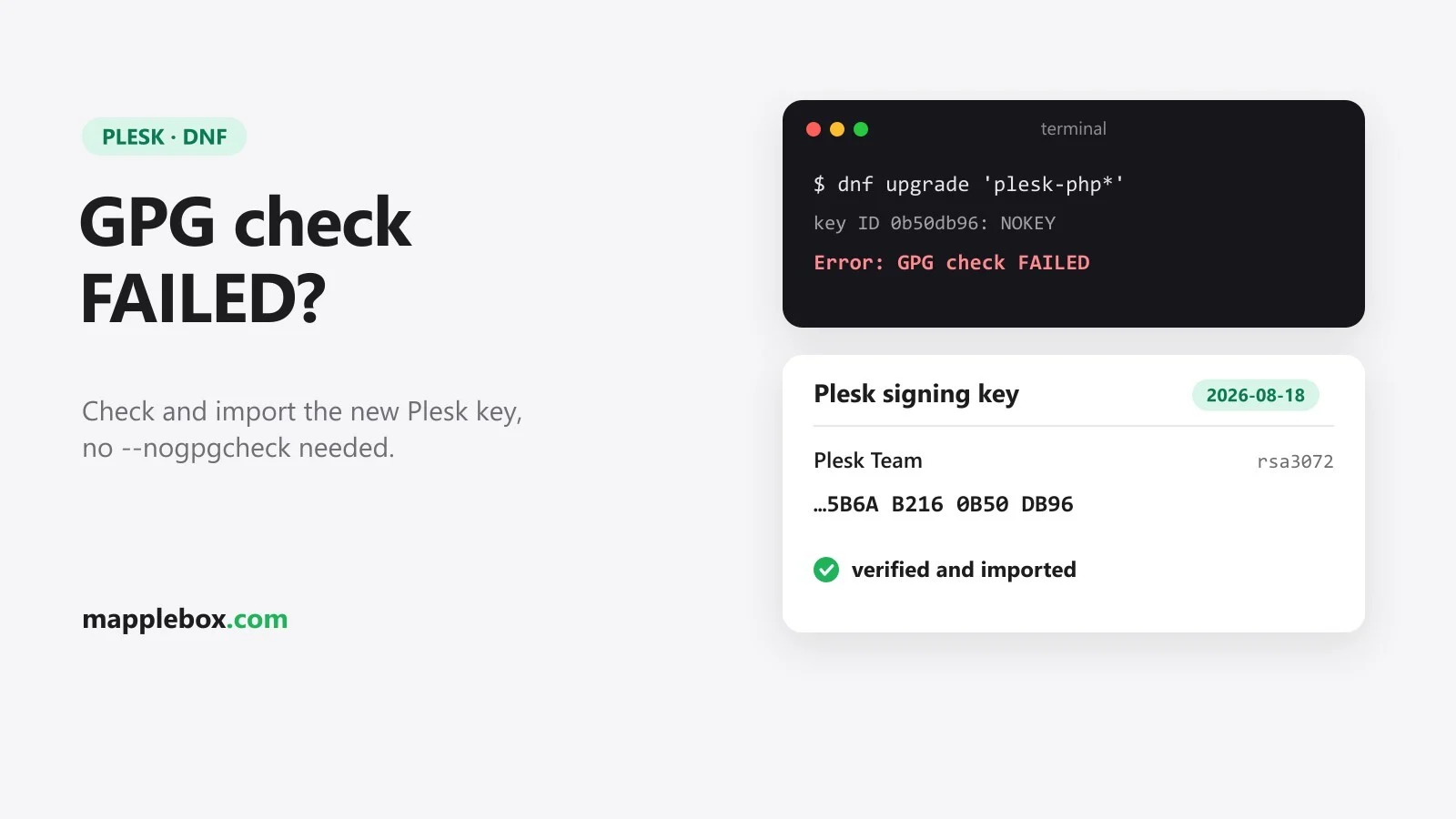
Plesk dnf “GPG check FAILED”: fix the new signing key 5B6AB2160B50DB96
You want to install updates on your Plesk server and dnf stops with this:
Public key for plesk-php83-cli-8.3.36-0redhat.9.261021.0804.x86_64.rpm is not installed
Public key for plesk-php83-fpm-8.3.36-0redhat.9.261021.0804.x86_64.rpm is not installed
...
Error: GPG check FAILED
Depending on the output, there can also be a line with Header V4 RSA/SHA256 Signature, key ID 0b50db96: NOKEY before it. In plain words: dnf downloaded new Plesk packages but doesn’t know the key Plesk signed them with, so it refuses to install anything. I ran into this on October 21, 2026, during the PHP security update. Here’s how you can fix it properly in a few minutes.
Quick explainer
- dnf is the package manager on AlmaLinux, Rocky Linux, RHEL (Red Hat Enterprise Linux) and CloudLinux. It installs and updates software, including Plesk’s packages.
- A signature is a digital stamp on every package. It proves the package really comes from Plesk and wasn’t changed on the way to your server.
- The GPG key is what checks that stamp. dnf can only verify the signature if Plesk’s public key is installed on your server.
- The key ID is a short name for a key: the last characters of its fingerprint (a long, unique checksum). 5B6AB2160B50DB96 and the shorter 0b50db96 from the error are the same key.
- What happened: new Plesk packages, like the PHP updates from October 21, 2026, are signed with a new key created on August 18, 2026. If your server doesn’t have it yet, the check fails.
What you need
- A Plesk server that uses dnf: AlmaLinux, Rocky Linux, RHEL or CloudLinux 8 or 9.
- SSH access as root or with sudo. If you’re logged in as root, just drop the
sudofrom the commands. - A fresh backup or snapshot. Plesk points out that services like PHP-FPM restart briefly during updates.
Step 1: Check whether the key is missing
rpm -q gpg-pubkey-0b50db96If you get package gpg-pubkey-0b50db96 is not installed, the new key is missing and you go on with step 2. If you get gpg-pubkey-0b50db96-6a84083c, it’s already there and your problem is a different one. Check which key ID your error message names.
Plesk itself suggests sudo plesk installer update as the first try. It updates Plesk and installs the current keys along the way. I went the manual route straight away, because I wanted to see what I was importing before I imported it.
Step 2: Download the key file and look at it
Plesk publishes its keys in a file called plesk.gpg. Download it and look inside first. These two commands don’t change anything on your system:
curl -fsSL -o /tmp/plesk.gpg https://autoinstall.plesk.com/plesk.gpg
gpg --show-keys /tmp/plesk.gpg
You’ll see three keys, all from “Plesk Team”. The two older ones from 2015 and 2025 are expected. The last block is the one that matters:
pub   rsa3072 2026-08-18 [SC]
      43C5DA0DBF8B7DE1457C94285B6AB2160B50DB96
uid                      Plesk Team <info@plesk.com>
sub   rsa3072 2026-08-18 [E]
Check three things: the date 2026-08-18, the name “Plesk Team <info@plesk.com>” and a fingerprint ending in 5B6AB2160B50DB96. Here’s the full fingerprint in groups of four to compare: 43C5 DA0D BF8B 7DE1 457C 9428 5B6A B216 0B50 DB96. If anything doesn’t match, don’t import anything and ask Plesk support. A line like gpg: directory '/root/.gnupg' created is harmless.
Step 3: Import it
Import exactly the file you just checked, not a fresh copy from the internet:
sudo rpm --import /tmp/plesk.gpg
rpm -q gpg-pubkey-0b50db96
rm /tmp/plesk.gpg
The second command should now show gpg-pubkey-0b50db96-6a84083c.
Step 4: Run the update again
Just start the update that failed before. Either in Plesk under Tools & Settings → Updates, or over SSH, for example for Plesk’s PHP packages:
sudo dnf upgrade 'plesk-php*'This time there should be no GPG error. For me it went straight through: 8.2.34 to 8.2.35 and 8.3.35 to 8.3.36.
Step 5: Verify
rpm -qa 'gpg-pubkey*' --qf '%{VERSION}-%{RELEASE}\t%{SUMMARY}\n' | grep -i plesk
rpm -q --qf '%{NAME}-%{VERSION}\t%{RSAHEADER:pgpsig}\n' plesk-php83-cli
This is what it looks like on my server. What matters is the line with 0b50db96, and key ID 5b6ab2160b50db96 on the package. Swap plesk-php83-cli for your PHP version, for example plesk-php82-cli.
914bdf7e-55c05220	Plesk Team <info@plesk.com> public key
ce550e57-67c8b7f7	Plesk Team <info@plesk.com> public key
0b50db96-6a84083c	Plesk Team <info@plesk.com> public key
plesk-php83-cli-8.3.36	RSA/SHA256, Wed 21 Oct 2026 08:20:31 AM UTC, Key ID 5b6ab2160b50db96
If this was a PHP update, restart PHP-FPM afterwards and check the version, as described in step 3 of my PHP guide.
Don’t use –nogpgcheck
You’ll often see dnf --nogpgcheck or gpgcheck=0 suggested online. Both switch the check off completely, so a tampered package would install just as happily. Import the right key once and keep the check on.
FAQ
Is this safe? Yes, as long as you download the file over HTTPS from autoinstall.plesk.com and check the date, name and fingerprint before importing. Plesk itself says to import keys only from that official URL, and its support article names the same key ID, 5B6AB2160B50DB96.
Why doesn’t dnf fetch the key by itself? On my server, /etc/yum.repos.d/plesk.repo has gpgcheck=1 but no gpgkey= line. So dnf doesn’t know where to get a new key and fails instead of asking. You can check yours with grep -i gpgkey /etc/yum.repos.d/plesk*.repo.
Why was there no announcement? When I hit the error, I couldn’t find any announcement from Plesk about the new key. Plesk now covers it in its support article on missing public keys (as of October 21, 2026), for both dnf and apt.
The new key isn’t in plesk.gpg. Plesk says a stale cached copy of the file can cause this. The new key is also published on its own at https://autoinstall.plesk.com/plesk-2026-08-18.gpg, and I checked that it contains exactly the key shown above. Download, check and import it as in steps 2 and 3.
What about Debian or Ubuntu? There, according to Plesk, apt reports NO_PUBKEY 5B6AB2160B50DB96. My server runs AlmaLinux, so I haven’t tested this myself. Plesk recommends sudo plesk installer update first, and otherwise this import:
curl -sS https://autoinstall.plesk.com/plesk.gpg | gpg --dearmor | sudo tee /etc/apt/trusted.gpg.d/plesk.gpg > /dev/null
sudo chmod a+r /etc/apt/trusted.gpg.d/plesk.gpg
sudo apt update
If your Plesk entries in /etc/apt/sources.list.d/ use signed-by=, apt ignores that folder. In that case the key has to go into the file that signed-by= points to.
Wrapping up
Check the key, import it, run the update again, and your GPG check stays on. Here because of the PHP vulnerabilities? Carry on with my PHP security guide. New guides go out through my newsletter.
Did this guide help you? You can buy me a coffee on Ko-fi. It keeps MappleBox ad-free.