Minecraft Java with Cobblemon on the iPhone Duo: How to Run a Big Modpack (No Jailbreak)
Minecraft Java Edition runs on an iPhone. The open-source launcher Amethyst makes that possible, and with a few fixes it even runs a big Fabric modpack with Cobblemon (the Pokémon mod). I got our CobbleBox pack with 189 mods onto my iPhone Duo with iOS 27.2 and joined our server with it. Below is the same setup step by step, with every fix and the values to copy.
In short
- What it is: Amethyst, a free Minecraft Java launcher for iPhone and iPad, plus our small fixes for big Cobblemon packs.
- Why it needs tricks: Java needs JIT (“just in time” compilation, it turns Java code into fast machine code while the game runs). iOS only allows that while a debugger (a developer tool that attaches to a running app) is connected. The app StikDebug does that right on the iPhone.
- No jailbreak: You sideload the app, which means you install it yourself without the App Store, signed with your own Apple account.
- What you need: an iPhone Duo (tested), a Microsoft account that owns Minecraft Java, a Cobblemon modpack and about an hour.
- Tested by me: iPhone Duo, iOS 27.2, November 2026. Other iPhones are untested.
Before you start
What you need
- An iPhone Duo. That is the only device I tested. Other iPhones may work, but three things decide it: enough RAM, the Increased Memory Limit entitlement (a permission that lets an app use more memory) and a working JIT method for your iOS version.
- A Microsoft account that owns Minecraft: Java Edition. Amethyst only installs modpacks with a real Microsoft account, a local account gets refused.
- A Cobblemon modpack for Fabric, for example from Modrinth. The pack I tested is CobbleBox, the pack of our own Cobblemon server.
- Free space on the iPhone. The CobbleBox pack file listed 236 files with about 870 MB, plus Minecraft itself.
- For the setup: either a Mac with a paid Apple Developer account (that is the way I tested), or a computer once to set up SideStore (Windows, Mac or Linux). Details in step 1.
What does not work or is untested
- Shaders (Iris): I left Iris off and did not test shaders.
- Voice chat (Simple Voice Chat) loads, but its audio libraries do not exist for iOS. You see red error messages in chat and cannot talk. The game runs anyway.
- Mods that need SQLite (a small database library) crash, because the native part is missing on iOS. In CobbleBox that was
cobblemon_ranked. - JIT has to be switched on again with StikDebug every time you start Amethyst.
- FPS: I did not measure them, so there are no numbers here. It is playable on the Duo.
- The way without a Mac (SideStore, step 1 variant B) is documented by the projects themselves. I did not go through it on my own device.
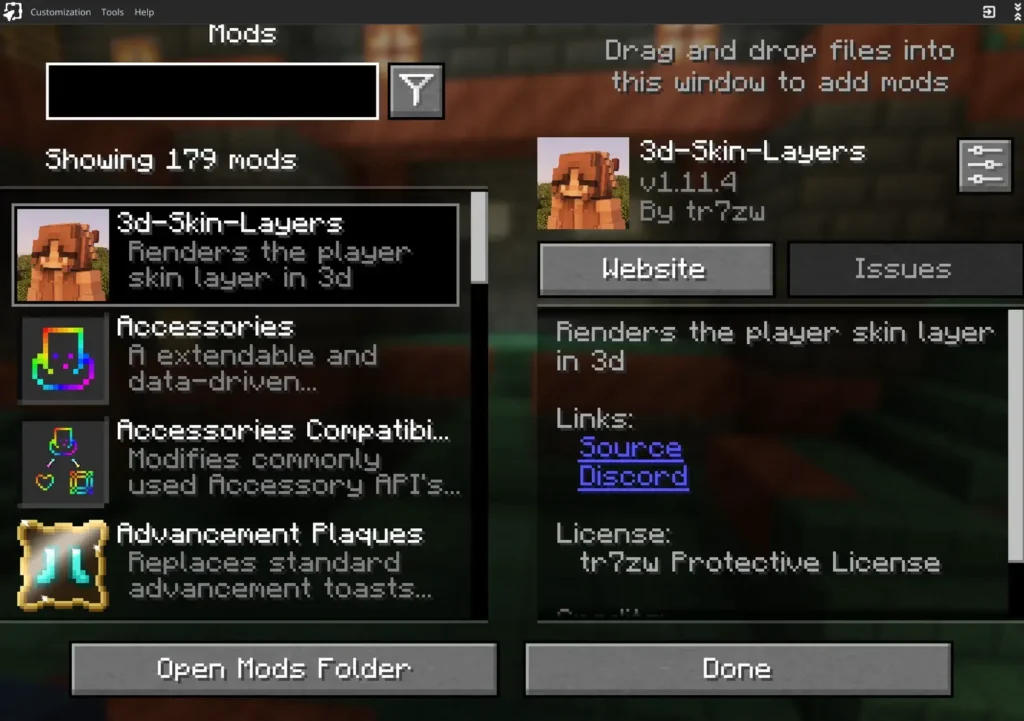
How I count mods: the number comes from Mod Menu, the in-game mod list. By default it hides libraries and lists helper mods inside other mods as sub-entries. The Fabric log counts those too and lists over 400 entries for the same pack.
Step 1: Pick your way to install Amethyst
Amethyst is not in the App Store. You install an IPA file (an iPhone app package) yourself. For a big Cobblemon pack you want our build of Amethyst, the fork on GitHub: github.com/mapplebox/Amethyst-iOS. It is the original Amethyst plus three small changes I needed on the Duo:
- Correct working folder for modpacks. In the original, Java starts in a different folder than the modpack folder. Cobblemon then unpacks its battle engine into one folder and looks for it in the other.
- Touch controls on iOS 27. iOS 27 reports a virtual mouse, and the original hides the on-screen buttons because of it.
- Import .mrpack files. You can open a modpack file with “Share > Amethyst” and install it, also packs that are not on Modrinth.
Everything else is the official Amethyst. Credits and license (GPL-3.0) are in the repo.
Variant A: Mac + paid Apple Developer account (tested, for developers)
That is how I did it. You build the app on the Mac (build commands in the “Build” section of the repo README) and sign it with a development profile. The profile needs these capabilities, which you turn on for your App ID on developer.apple.com: Increased Memory Limit and Extended Virtual Addressing. The development certificate brings the get-task-allow entitlement, which StikDebug needs to attach. Then install the app with Xcode or xcrun devicectl device install app.
Variant B: without a Mac (SideStore, not tested by me)
- Set up SideStore following docs.sidestore.io. That needs a computer once (Windows, macOS, Linux or a Chromebook), Wi-Fi and the VPN app LocalDevVPN.
- Build the IPA yourself. We don’t offer a ready download. Without a Mac you can do it on GitHub: fork the repo with your GitHub account, enable workflows in the Actions tab of your fork and start “Unsigned IPA (fork)” with “Run workflow”. GitHub then builds the IPA on one of its Macs, and you download it at the bottom of the finished run. I haven’t run this workflow myself yet. Then open the IPA with SideStore.
- Add more memory: the Amethyst wiki describes the app GetMoreRam for that. Install it via SideStore, sign in with your Apple account, pick the Amethyst App ID, tap “Add Increased Memory Limit”, then reinstall Amethyst. Without this step iOS gives the app too little RAM for a big pack. GetMoreRam only adds this one permission. My build also had Extended Virtual Addressing, so with SideStore you may have to start with less RAM than in step 5.
About the Apple account: the Amethyst wiki asks for an Apple account that has signed in to the Apple Developer Program. I only used a paid developer account. A free Apple ID comes with Apple’s limits for sideloaded apps (3 apps at a time, re-signing every 7 days). SideStore, StikDebug and Amethyst already fill those 3 slots, so GetMoreRam needs a free slot for a moment. I did not test that.
The original Amethyst also offers nightly IPAs in the Actions tab of its GitHub repo. Those lack the folder fix from above, and I did not test Cobblemon with them.
Check: The Amethyst icon is on your home screen and the app opens.
Step 2: Turn on JIT with StikDebug
Without JIT, Amethyst refuses to start the game. StikDebug switches JIT on directly on the iPhone.
- Install StikDebug. It is no longer in the App Store. Its GitHub page links the AltSource (for SideStore/AltStore) and the IPA.
- StikDebug needs a pairing file from your iPhone once and the VPN app LocalDevVPN. The StikDebug docs explain how to create the pairing file.
- Turn on LocalDevVPN, open StikDebug, tap Enable JIT (in the Amethyst wiki the option is called “Connect by App”) and pick Amethyst. Amethyst opens. If you tap Play later without JIT, Amethyst jumps to StikDebug by itself and back.
- New iPhones use a newer protection called TXM. You see which one you have at the bottom of the StikDebug settings (“TXM” or “Non-TXM”). With TXM, the Amethyst wiki says to turn on Picture in Picture and Always Run Scripts there and to keep the picture-in-picture window open while you play. Amethyst brings its own JIT script for iOS 26 and newer.
On my Duo with iOS 27.2 this worked on the phone alone, without a Mac and without a cable. The pairing file still needs a computer once.
Check: After you tap Play in step 9, the dialog “Waiting for JIT” goes away and the game starts loading.
Step 3: Sign in with Microsoft
In Amethyst, tap the account button at the top right, then Add account > Microsoft account, and sign in. The account has to own Minecraft Java and needs an Xbox profile (if you ever played Minecraft Java with it, it has one).
Step 4: Install the modpack
From Modrinth (works in the original Amethyst too): go to the profiles, tap + > Modpack, search for your pack (for example “Cobblemon”) and install it. Pick a version for Minecraft 1.21.1 (some packs also offer 1.20.1). Amethyst downloads all mods from the URLs in the pack.
From a .mrpack file (our build): save the .mrpack file in Files, tap Share and pick Amethyst. The app saves it and shows a hint. Then open + > Modpack, tap Import .mrpack at the top left and pick the file from the list. The “Choose from Files…” button in that list can hang. Use Share instead, or move the .mrpack into On My iPhone > Amethyst in Files, then it shows up in the list.
Amethyst creates a new profile, and the pack lands in this folder:
On My iPhone > Amethyst > instances > default > custom_gamedir > <pack name>The folder name is the pack name in lowercase with underscores instead of spaces. “Cobblemon Official Modpack [Fabric]” becomes cobblemon_official_modpack_[fabric].
Check: A new profile with the name of your pack shows up in the profile list.
Step 5: Set the RAM
Amethyst sets the memory for Java automatically, and for a big pack that is too little. Go to Settings > Java Tweaks and turn Auto RAM off. Amethyst shows a warning, confirm it. Then drag the Memory allocation (MB) slider until it reads about 4900 to 5000. Mine was:
4937Amethyst warns again at high values. Confirm that too. 4937 MB is the value that worked on my iPhone Duo. More was worse: with 5985 MB the game loaded and then the whole app crashed while building the graphics (the log shows bad_alloc), because graphics memory and Java share the same limit. With 8131 MB Amethyst refused to start (“Insufficient contiguous virtual memory space”). On other iPhones you have to try it out. Go down in steps of 500 MB if the app crashes.
Also set the Renderer to ANGLE (in the profile, or for all profiles under Settings > Video and Audio Settings). That is what I used.
Step 6: Add the Cobblemon fix (jar + JVM arguments)
Without this step, Cobblemon packs load every mod and then stay on a black screen forever.
Why: iOS forbids apps from checking the folders /, /var and /private. Java’s toRealPath(NOFOLLOW_LINKS) does exactly that, so it fails for every file. Cobblemon uses it to check the folder of its battle engine Showdown. Showdown never starts, and the game waits forever. Our small Java agent (a jar file that Java loads before the game) swaps that one call for a version that works on iOS. On a PC nothing changes.
- Download
cobblemon-ios-fix.jarin Safari. Safari puts it into Files > Downloads. The source code and a build script are in thecobblemon-ios-fixfolder of the repo. - In Files, create the folder
agentin On My iPhone > Amethyst. Then long-press the jar in Downloads, tap Move and pick that folder:
On My iPhone > Amethyst > agent > cobblemon-ios-fix.jar- In Amethyst, open your modpack profile and paste this into JVM Launch arguments:
-javaagent:../../../../agent/cobblemon-ios-fix.jar -Dgson.allowCapturingTypeVariables=trueThe path goes up four folders because our build starts Java inside the pack folder (instances/default/custom_gamedir/<pack>). The second value fixes a crash with mods that use Gson (a JSON library) in a way the newer Gson in Amethyst blocks. In CobbleBox that was the trainer mod RCT. If your pack does not need it, it does no harm.
The jar also brings a small class that Amethyst’s narrator stub lacks. Without it the game crashes with NoClassDefFoundError: com/mojang/text2speech/Narrator$InitializeException.
Step 7: Switch off mods that do not run on iOS
In Files you switch off a mod by renaming it: add .disabled at the end, for example iris-fabric-1.8.14.jar.disabled. iOS asks whether you want to use the extension “.disabled”, confirm it. Turn on Show All Extensions in the view options of Files first, otherwise you do not see the .jar. The mods are in custom_gamedir/<pack name>/mods.
- Iris (shaders): switch off. Untested, I left it off. If Fabric then refuses to start because another mod needs Iris, put Iris back.
- Mods with SQLite (in CobbleBox:
cobblemon_ranked): switch off. The native SQLite part is missing on iOS. - Mods that want a newer Java (in CobbleBox: C2ME): switch off. Amethyst uses Java 21 for Minecraft 1.21.1 by default. The profile has a Java version picker, but I did not test C2ME with Java 25.
- Sodium, Sodium Extra, Reese’s Sodium Options: keep them and add Podium. Sodium refuses to run in Amethyst, Podium removes that check.
Podium is a tiny Fabric mod that turns off Sodium’s launcher check. Download the newest Fabric version for Minecraft 1.21.1 (I used 1.1.1) and put it into the mods folder.
Step 8: ModernFix setting (only if your pack has ModernFix)
ModernFix (a performance mod) contains a fix for the narrator that also needs a class Amethyst lacks. The game then crashes right after the window opens. Turn that one ModernFix feature off. The file is custom_gamedir/<pack name>/config/modernfix-mixins.properties. If it does not exist yet, start the game once, it gets created then. Add this line:
mixin.feature.suppress_narrator_stacktrace=falseFiles cannot edit text files. You need a text editor app that can open files from Files, or a computer: edit the file there and copy it back. I edited it from a Mac, so I have no tested iPhone editor to recommend.
Step 9: First start
- Start JIT with StikDebug (step 2), Amethyst opens.
- Pick your modpack profile and tap Play.
- The first start takes longer than later ones, because Cobblemon unpacks Showdown first.
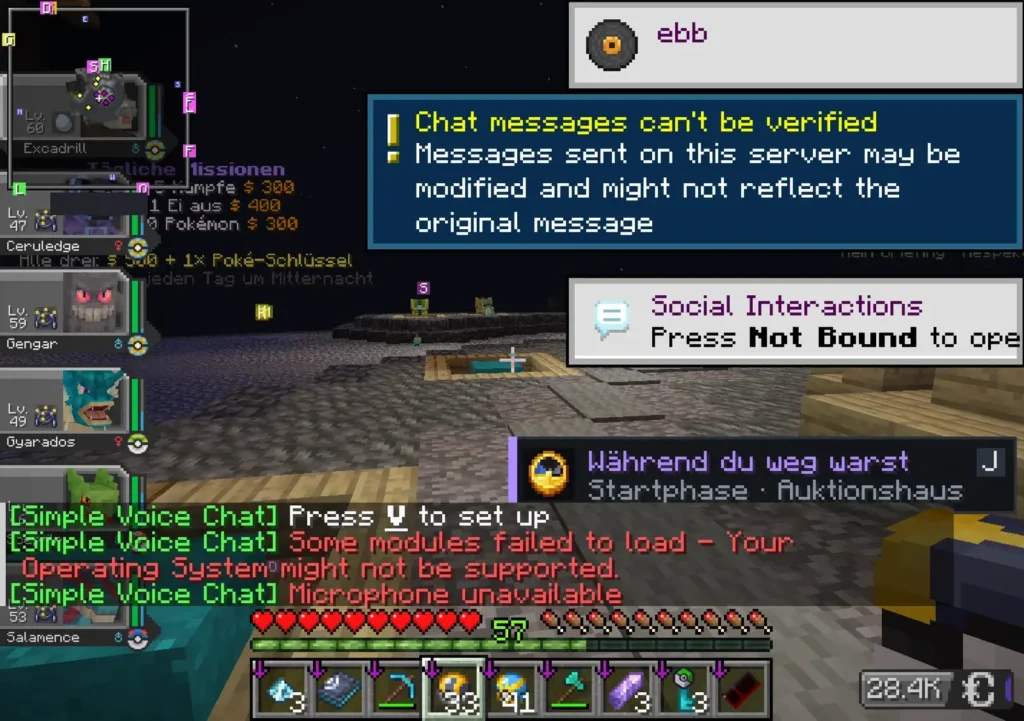
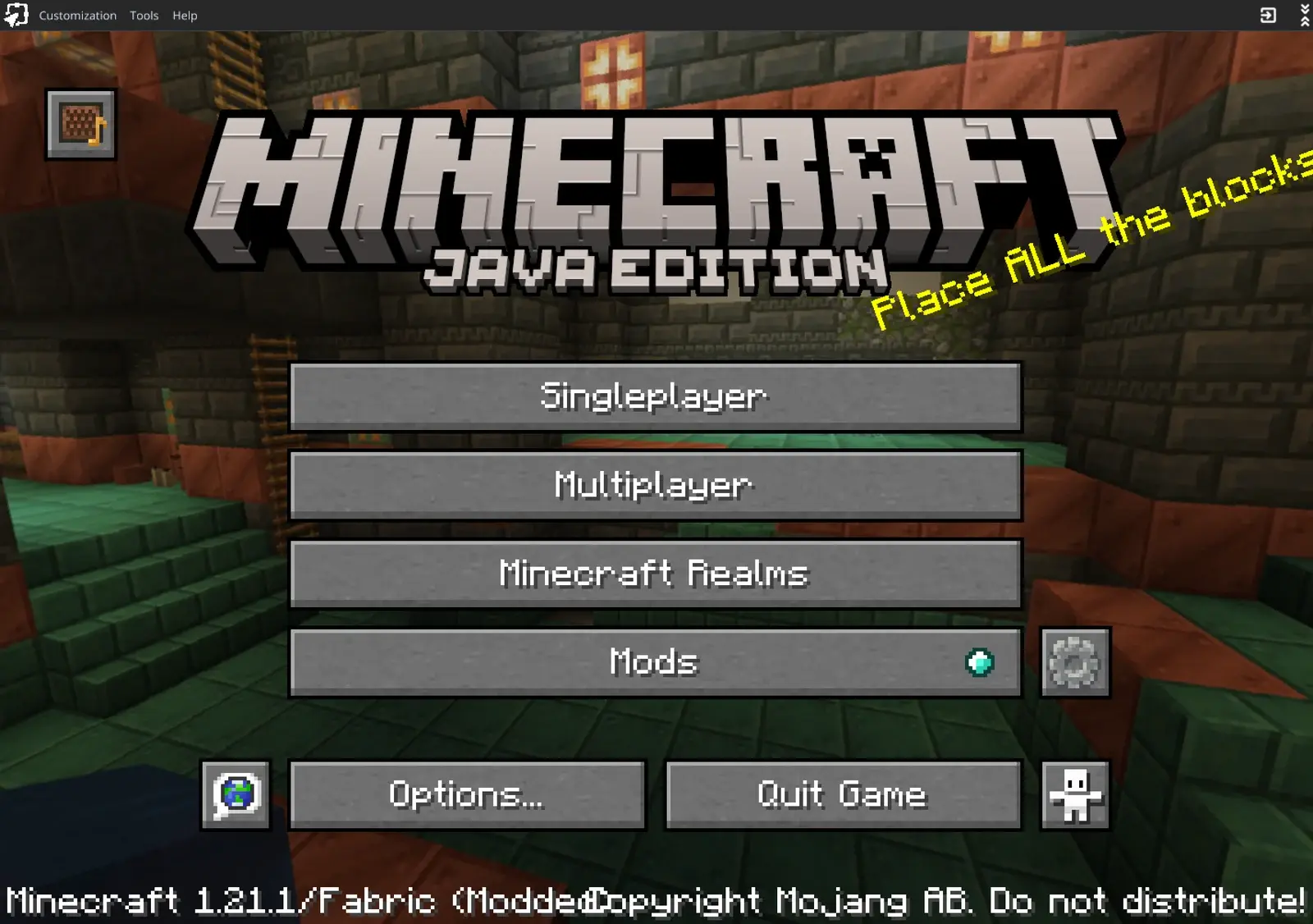
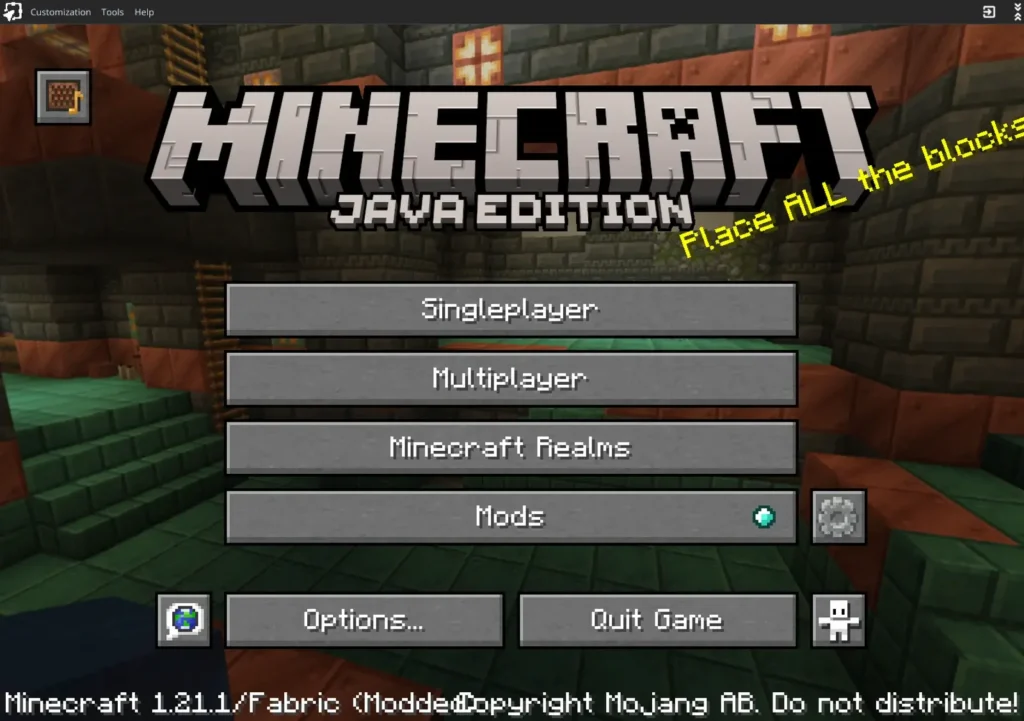
Check: You reach the title screen. In On My iPhone > Amethyst > latestlog.txt you find lines like [CobblemonIosFix] installed and [CobblemonIosFix] patched toRealPath in ... (the class names start with com/cobblemon/, with Cobblemon 1.8 also com/oracle/truffle/). Amethyst renames the previous log to latestlog.old.txt on every start, so read it right after the start that went wrong. Then start a world or join a server and fight a Pokémon. If the battle starts, Showdown runs.
Step 10: Touch buttons for Cobblemon
Cobblemon uses keys that the default touch controls lack, for example R to send out your Pokémon and arrow up/down to switch between party slots. Check the exact keys of your pack in Options > Controls > Key Binds. In Amethyst open Custom controls, long-press the screen and pick Add drawer. A drawer is a button that opens a small list of more buttons, so the screen does not get crowded. Add one sub-button per key with Add sub-button and set the key under Mapping. Save and pick the layout under Touch controls in the profile.
I built two drawers on the Duo: one for the battle and party keys and one for menus such as the map and the backpack.
Optional: resource packs
Resource packs work. You turn them on in the game as usual (Options > Resource Packs). Older packs are marked as made for an older version, and Minecraft asks for confirmation. Confirm, then they load. With CobbleBox, 29 of the 35 packs ran right away, and the 6 older ones after that confirmation. More packs cost more memory, so if the app crashes after you turn on packs, turn some off again.
Joining a server
A modded server accepts you only when your important mods match the server, in the same versions. If a mod is missing or has another version, the server kicks you with a list of the mods that do not match. So keep your pack on the same version as the server, and only switch off client mods (shaders, performance mods). I could switch off cobblemon_ranked and still join our server. On other servers that can be different. If you want to run your own Cobblemon server, this guide shows how to set one up.
Troubleshooting
Black screen after loading, the game hangs. Showdown does not start. Check latestlog.txt for [CobblemonIosFix] lines. If there are none, the jar path in the JVM arguments is wrong or the jar is not in the agent folder. If an earlier start broke off, a half-unpacked showdown folder can be left in the pack folder. Rename it (for example to showdown.old), and Cobblemon unpacks it again.
Error “Cannot load module ./sim/battle-stream”. Same cause: the showdown folder is incomplete. Rename it as above.
The app closes while loading. Usually too much or too little RAM. Too much: the graphics part runs out of memory (bad_alloc in the log). Go down in 500 MB steps. Too little: Java runs out of memory (OutOfMemoryError). On the Duo, 4937 MB worked.
“Insufficient contiguous virtual memory space”. If the message ends with “Lower memory allocation and try again”, the RAM value is too high: go down. If it says the Increased Memory Limit entitlement is missing, add it with GetMoreRam (step 1, variant B).
Stuck on “Waiting for JIT”. LocalDevVPN has to be on, Wi-Fi too, and StikDebug needs your pairing file. Then start Amethyst through StikDebug.
“JIT could not be enabled” and the app closes. The app was signed without a development certificate. Reinstall it with SideStore or with your developer profile.
Crash with Narrator$InitializeException. The jar is not loaded. Check the path from step 6.
Crash with GameNarratorMixin or com/mojang/text2speech/OperatingSystem. That is the ModernFix setting from step 8.
Crash that mentions gson.allowCapturingTypeVariables. The second value from step 6 is missing in the JVM arguments.
Crash with sqlite or org.sqlite in the log. A mod needs SQLite. Find it in the log and switch it off (step 7).
Sodium refuses to start and mentions Pojav or the launcher. Podium is missing (step 7).
The touch buttons are gone (iOS 27). Our build fixes that. In the original Amethyst, turning off Hide controls when hardware is connected in the settings is worth a try. I did not test that.
The server kicks you right after joining. Mod mismatch. Read the list in the kick message and bring those mods to the server’s versions.
Red Simple Voice Chat messages. Expected. Voice chat does not work on iOS, the game runs anyway.
FAQ
Does this need a jailbreak? No. You sideload the app and turn on JIT with StikDebug.
Does it work on other iPhones? I only tested the iPhone Duo with iOS 27.2. RAM, the memory entitlement and a working JIT method for your iOS version decide it.
Do I need a Mac? Not necessarily. We don’t offer a ready IPA, so you build it yourself: on a Mac (variant A) or with the GitHub workflow in your own fork (variant B). SideStore then only needs a computer once. I tested variant A with a Mac.
Can I play without a Microsoft account? No. Amethyst only installs modpacks with a Microsoft account that owns Minecraft Java.
Does every Cobblemon modpack work? The fix from step 6 helps every pack with Cobblemon, because the problem sits in Cobblemon itself. I checked Cobblemon 1.7.3 on the device and only checked 1.8.4 offline (the patched spots are the same). Which other mods cause trouble depends on your pack. The troubleshooting list shows the ones I hit.
Is the jar safe? It is 6 KB, and the source code is next to it in the repo (one Java file plus one empty exception class). You can build it yourself with ./build.sh. SHA-256 of the prebuilt jar: a715860b45b923909e026347be7fb6475c28ff51f6fa2021cd2706554f8f942a.
Is the published jar the one you played with? For Cobblemon 1.7.3, yes: it patches exactly the same spots as the jar CobbleBox ran with on my Duo. The only addition is a filter for Cobblemon 1.8, which ships its Truffle file system as a separate library. Cobblemon 1.7.3 has no such classes, so the filter changes nothing there. A pack with Cobblemon 1.8 has not run on an iPhone yet. I only checked that offline and on a PC.
Credits and license
Amethyst is made by the AngelAuraMC team and is licensed under GPL-3.0. Our fork and the Cobblemon fix are under GPL-3.0 too. StikDebug is by its developers, Podium by its author on Modrinth. Minecraft belongs to Mojang and Microsoft, Cobblemon to the Cobblemon team. This guide is not affiliated with any of them.
Did this guide help you? You can buy me a coffee on Ko-fi. It keeps MappleBox ad-free.