My Smart Home Setup: Every Device I Run With Home Assistant
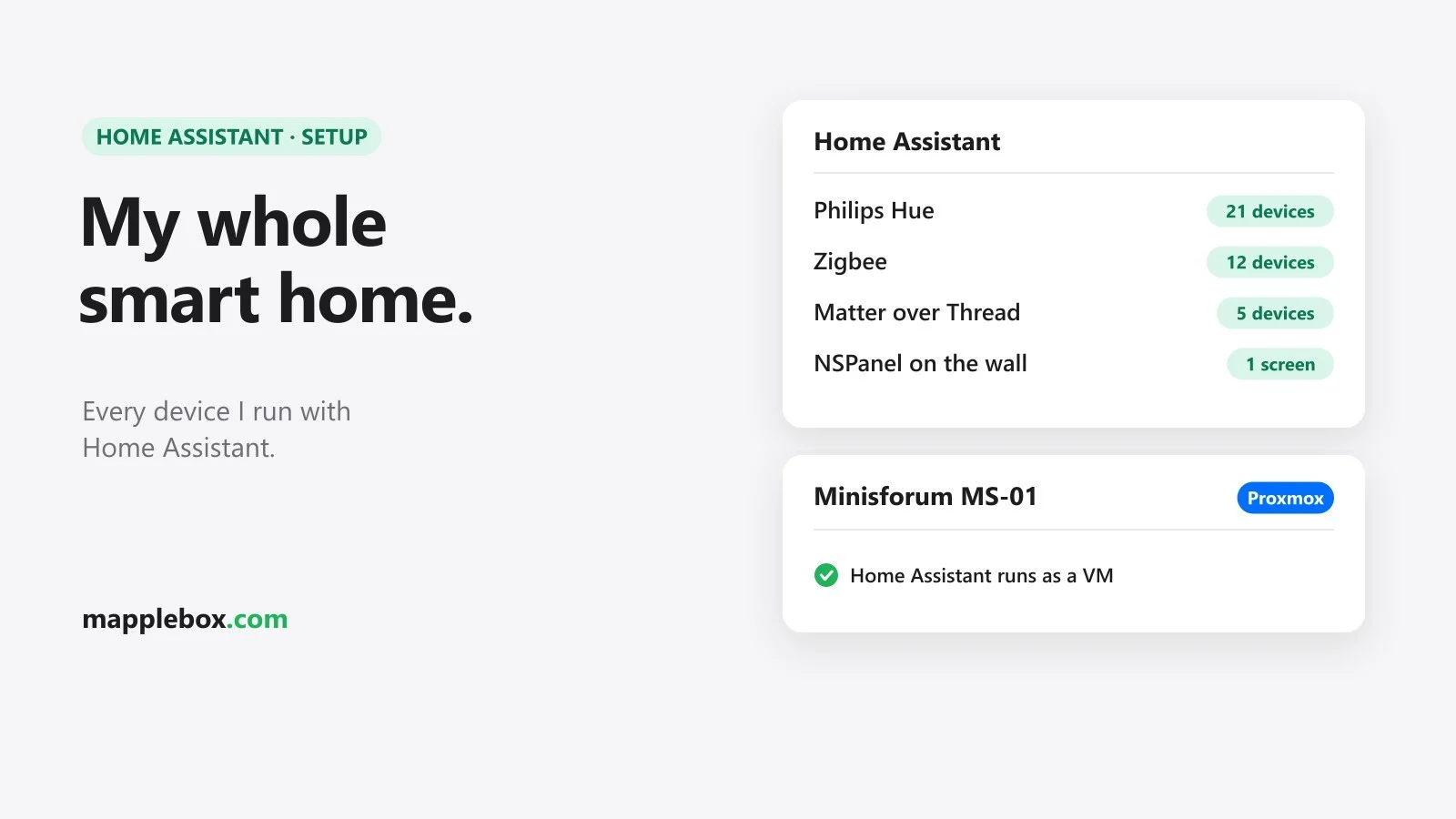
More than 30 smart devices in my apartment run through Home Assistant: lights, switches, radiator thermostats, blinds, sensors and a small screen on the wall. In this guide I’ll walk you through the whole setup, layer by layer. For every device you’ll see what it does for me and why I set it up that way. Pick what fits your home. You don’t have to buy everything at once.
Quick explainer
- Home Assistant: free software that puts all your smart home devices into one app, whatever the brand. It runs in your home, not in a manufacturer’s cloud.
- Zigbee: a wireless standard for smart home devices that uses very little power, so battery sensors last a long time.
- Coordinator: the hub of your Zigbee network. Home Assistant talks to every Zigbee device through it.
- Bridge: a small box for one family of devices. The Hue Bridge, for example, runs all your Hue lights and passes them on to Home Assistant.
- Thread and Matter: Thread is another low-power wireless standard. Matter is the shared language that lets one device work in Home Assistant, Apple Home and Google Home at the same time. Thread devices need a Thread border router, which connects the Thread radio to your Wi-Fi.
- Automation: a rule that says when something happens, check a condition, then do something. For example: when the window opens, turn the heating off.
The brain: Home Assistant on a mini PC
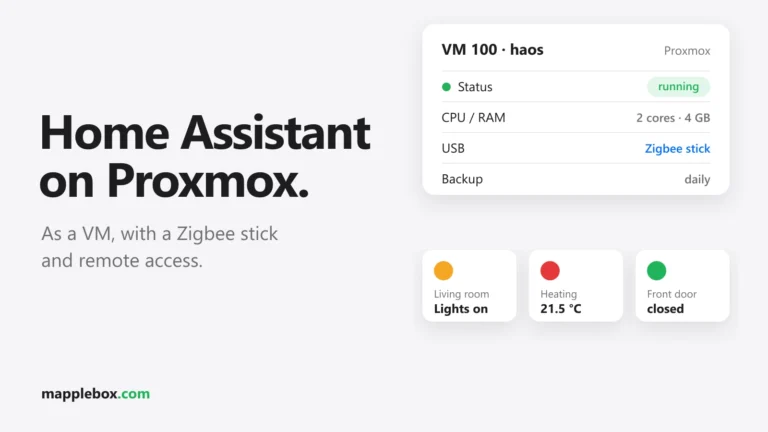
My Home Assistant runs as a virtual machine on a Minisforum MS-01*. The MS-01 runs Proxmox, software that lets one computer run several systems side by side. Home Assistant is one of them. Game servers and other services run next to it.
The MS-01 is way more than Home Assistant needs. If you only want to run your smart home, a small mini PC is enough, or a Home Assistant Green*, which comes with Home Assistant already installed. My guide Home Assistant on Proxmox shows you the install step by step. Which mini PC fits your setup is in Mini PC for Homelab.
Lights: Philips Hue
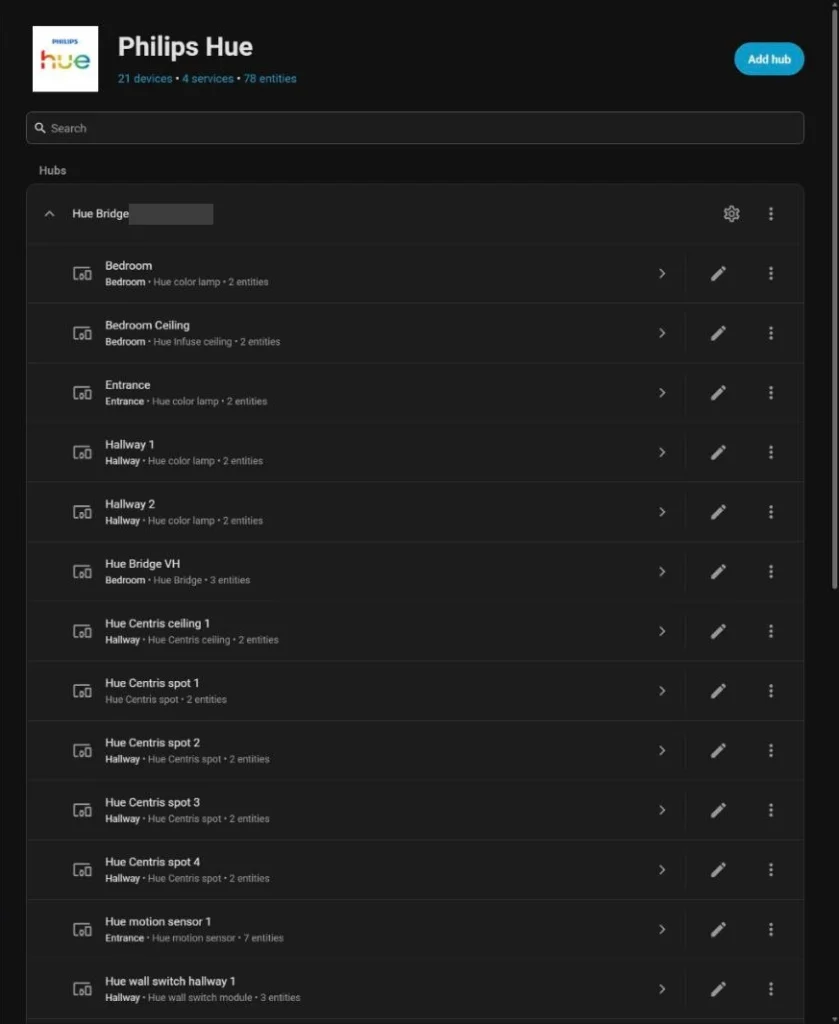
Most of my lights are Hue. They all connect to a Philips Hue Bridge*, and the Hue integration in Home Assistant talks to it directly on my home network. That’s 15 lights:
- 4 Hue color bulbs (Hue White and Color Ambiance*) in the hallway, entrance and bedroom
- 4 Hue Impress wall lights* in the living room
- a Hue Infuse ceiling light* in the bedroom
- a Hue Centris* ceiling light and 4 Centris spots in the hallway
- a Hue Lightstrip Plus* under the kitchen cabinets
My favorite part is one you can’t see: the Hue wall switch module*. I have four of them. The module sits behind a regular light switch and runs on a coin cell. The old switch stays as it is, but now it controls the Hue lights. Guests just press the switch like always, and the lights stay smart because they never lose power. If the install means touching mains wiring, have an electrician do it.
There’s also a Hue motion sensor* by the entrance. One floor lamp isn’t Hue: the Govee H6072* runs in Home Assistant too.
Zigbee: the cheap devices doing the boring work
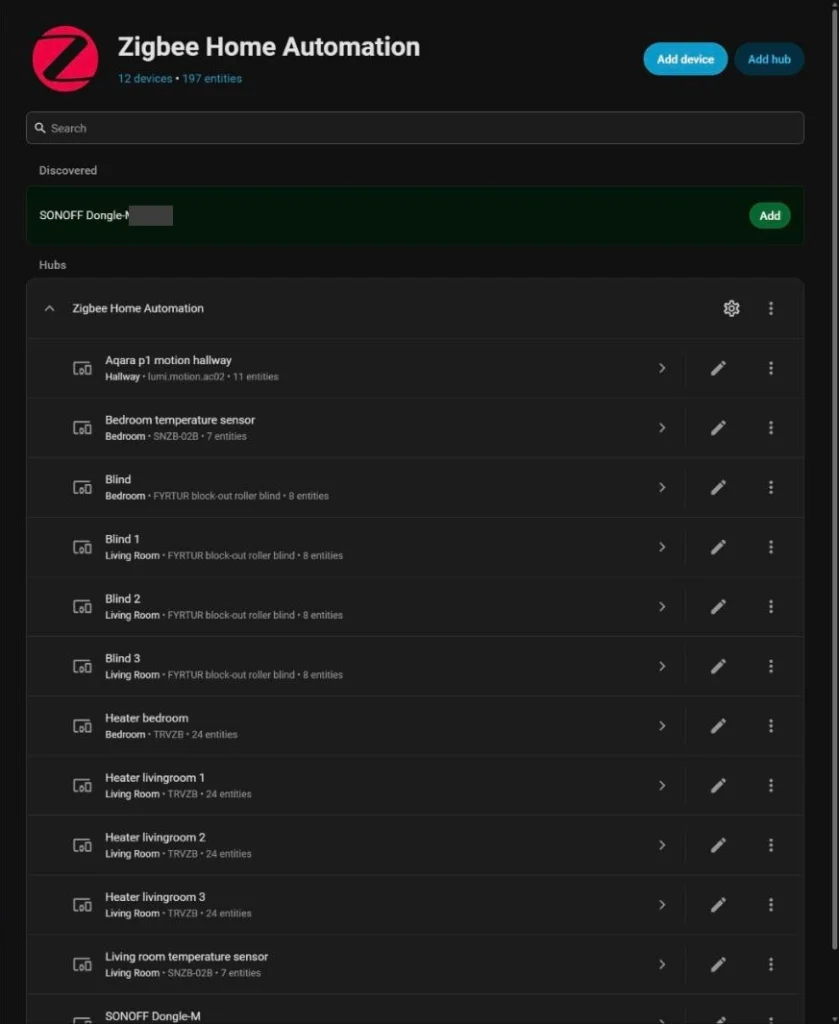
Everything that isn’t Hue and uses Zigbee connects straight to Home Assistant, with no manufacturer bridge. The hub is a SONOFF Dongle Max* (model name Dongle-M). It connects to the network with an Ethernet cable instead of plugging into the server’s USB port. That way it can sit in the middle of the apartment, where its signal reaches every room. To start out, a cheap USB stick like the SONOFF Zigbee 3.0 USB Dongle Plus* is enough. In Home Assistant I use ZHA, the built-in Zigbee integration.
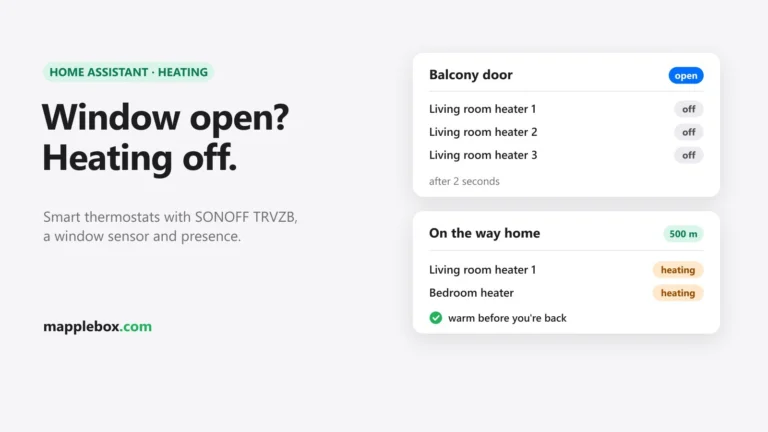
- 4x SONOFF TRVZB*: smart radiator thermostats, three in the living room, one in the bedroom. When a window opens, Home Assistant turns the heating in that room off. Once it’s closed, the thermostats carry on exactly as before. They fit radiator valves with an M30 x 1.5 thread, the standard in most of Europe. If your home has central air instead of radiators, skip this one. The full walkthrough with every automation is in Home Assistant Radiator Thermostat: Off When a Window Opens.
- 2x SONOFF SNZB-02B*: small temperature and humidity sensors in the living room and bedroom. The thermostat measures right at the hot radiator, while the sensor measures the air in the room.
- 4x IKEA FYRTUR*: battery-powered blackout roller blinds, three in the living room, one in the bedroom. You’ll see what they do on their own further down.
- Aqara P1 motion sensor*: in the hallway. It reports motion and measures how bright it is at the same time.
Matter over Thread: IKEA window sensors and buttons
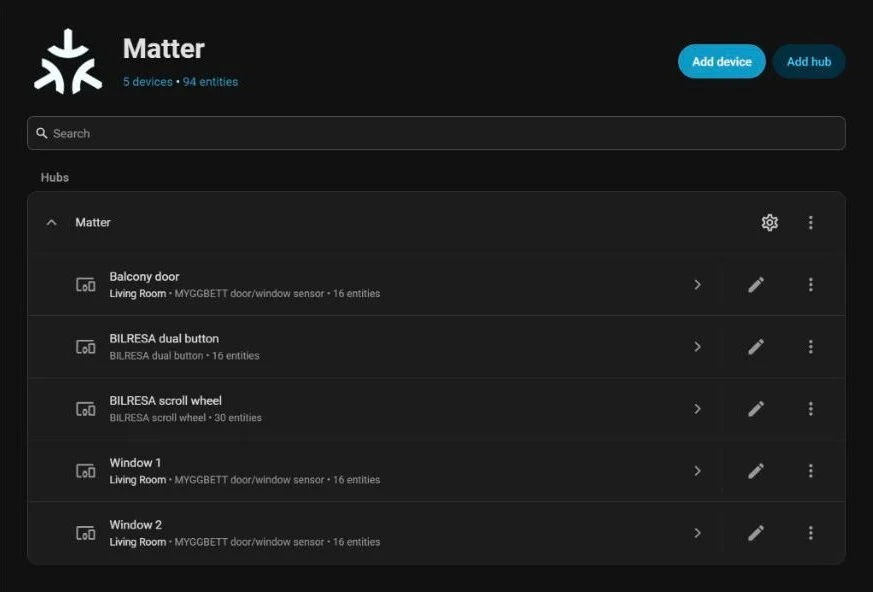
IKEA’s newer devices skip Zigbee and use Thread with Matter. I have three IKEA MYGGBETT* door and window sensors on two windows and the balcony door, plus two IKEA BILRESA remotes: the dual button and the scroll wheel. Thread needs a Thread border router. Mine are my Apple TV and my HomePod minis, which were already there anyway. The IKEA DIRIGERA hub works too. So Home Assistant can share Apple’s Thread network, sync the Thread credentials once from the Home Assistant app on your iPhone. The Home Assistant Thread docs show where.
If you already run Zigbee, a Zigbee contact sensor like the SONOFF SNZB-04P* is simpler, because you don’t need a border router. In Home Assistant both look the same: open or closed.
On the wall: SONOFF NSPanel with custom firmware
In the bedroom I swapped a light switch for a SONOFF NSPanel*, a small touchscreen the size of a light switch with two real buttons. Mine doesn’t run SONOFF’s software. It runs ESPHome with the free NSPanel HA Blueprint by Blackymas. The screen shows the weather, the time and the bedroom thermostat, and the two buttons switch the ceiling light and a floor lamp. Hold a button and the blind moves.
To flash your own firmware, you open the panel and connect a USB-to-serial adapter. The NSPanel also runs on mains power, so leave the wall box wiring to an electrician. I use the EU version. The US version has a different shape, so check which one fits your wall box.
What the devices do together
These automations link several devices and run in my home every day:
- Window open, heating off: the MYGGBETT sensor reports the open window, and the TRVZB thermostats in that room turn off. Afterwards they carry on with the same settings as before.
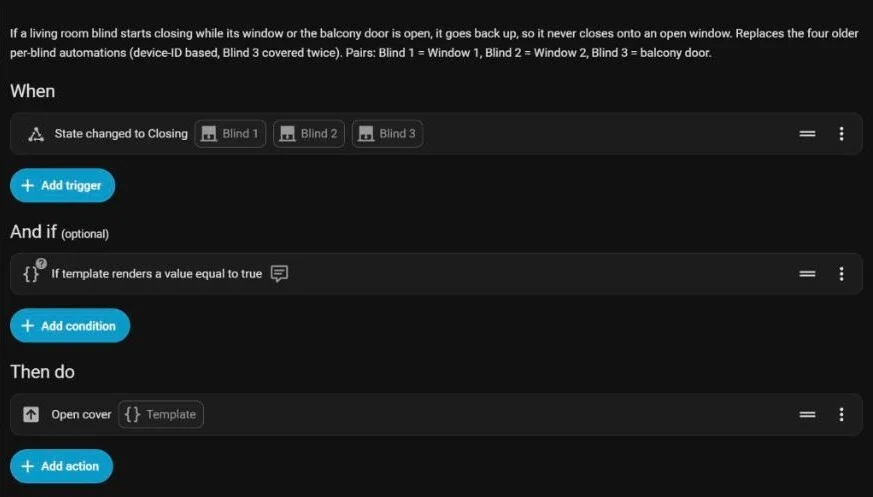
- No blind closing onto an open window: every living room blind is paired with a window sensor. If a blind starts closing while its window is open, Home Assistant sends it straight back up, so nothing gets stuck in the open window.
- Heat protection in summer: every morning Home Assistant reads the weather forecast. If it’s going to hit 30 °C (86 °F) or more, the blinds on the sunny side go down while the sun is on that side, and back up afterwards.
- Hallway light: the Aqara P1 reports motion. If it’s darker than 20 lux, the Hue lights in the hallway turn on. 2 minutes after the last motion they turn off again. Adaptive Lighting, a community project you install through HACS, sets the brightness for the time of day.
- Blinds on a button: the BILRESA dual button moves the living room blinds up and down, no app needed.
Where to start
You don’t need all of this on day one. Here’s how I’d start:
- Get Home Assistant running: on a mini PC you already own, or on a Home Assistant Green.
- Get a Zigbee coordinator: a USB stick is plenty.
- Fix one thing that really bugs you: for example heating and windows, with one TRVZB and one window sensor. One room is enough to start.
- Then grow it: if you already have Hue, add the bridge to Home Assistant. After that come blinds, motion sensors and maybe a screen on the wall.
* Affiliate link: As an Amazon Associate I earn from qualifying purchases. It costs you nothing extra. More info
Did this guide help you? You can buy me a coffee on Ko-fi. It keeps MappleBox ad-free.