Twitch Channel Points in Minecraft: Key Drops and Stream Effects
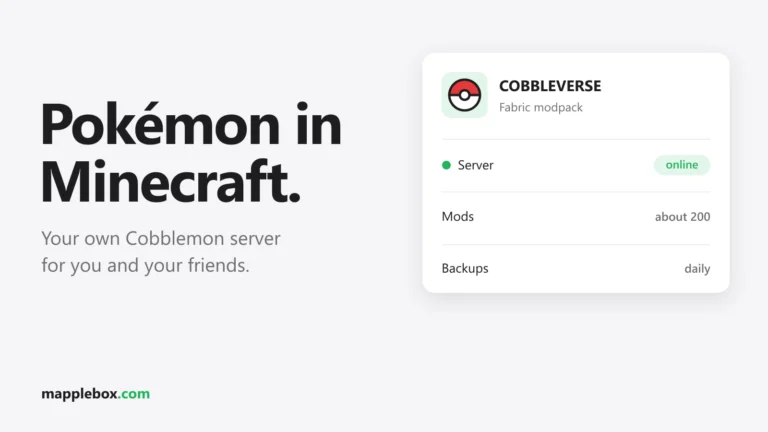
When players stream your Minecraft server, you can pull their viewers right into the game. In this guide you build a Twitch integration with two parts. A chat bot regularly gives away keys during the stream to viewers who play on the server themselves, and channel points, Bits, subs and raids trigger effects for the streamer in the game. The example is my Cobblemon server CobbleBox, which runs exactly this setup. The code is Python and gets by almost entirely with the standard library. The one exception is EventSub for channel points, which needs the websocket-client package. Commands reach the server through the console of the game panel (the web interface for managing the server) or through RCON.
Quick summary
- Viewers who play on your server win keys in Twitch chat with
!claim, and the keys land in their inventory automatically. - Streamers get a streamer crate after 30 minutes, and their viewers use channel points, Bits, subs and raids to trigger fireworks and harmless effects in the game.
- Made for operators of a Minecraft server where streamers play. Channel points only work on Affiliate or Partner channels.
- To build it yourself you need some Python and server knowledge, plus a Linux server for the bot, a game panel with an API (Pelican here) and RCON on the Minecraft server. A website for linking Twitch accounts is optional. A JSON file is enough to start. There’s no ready-made plugin.
What viewers and streamers get out of it
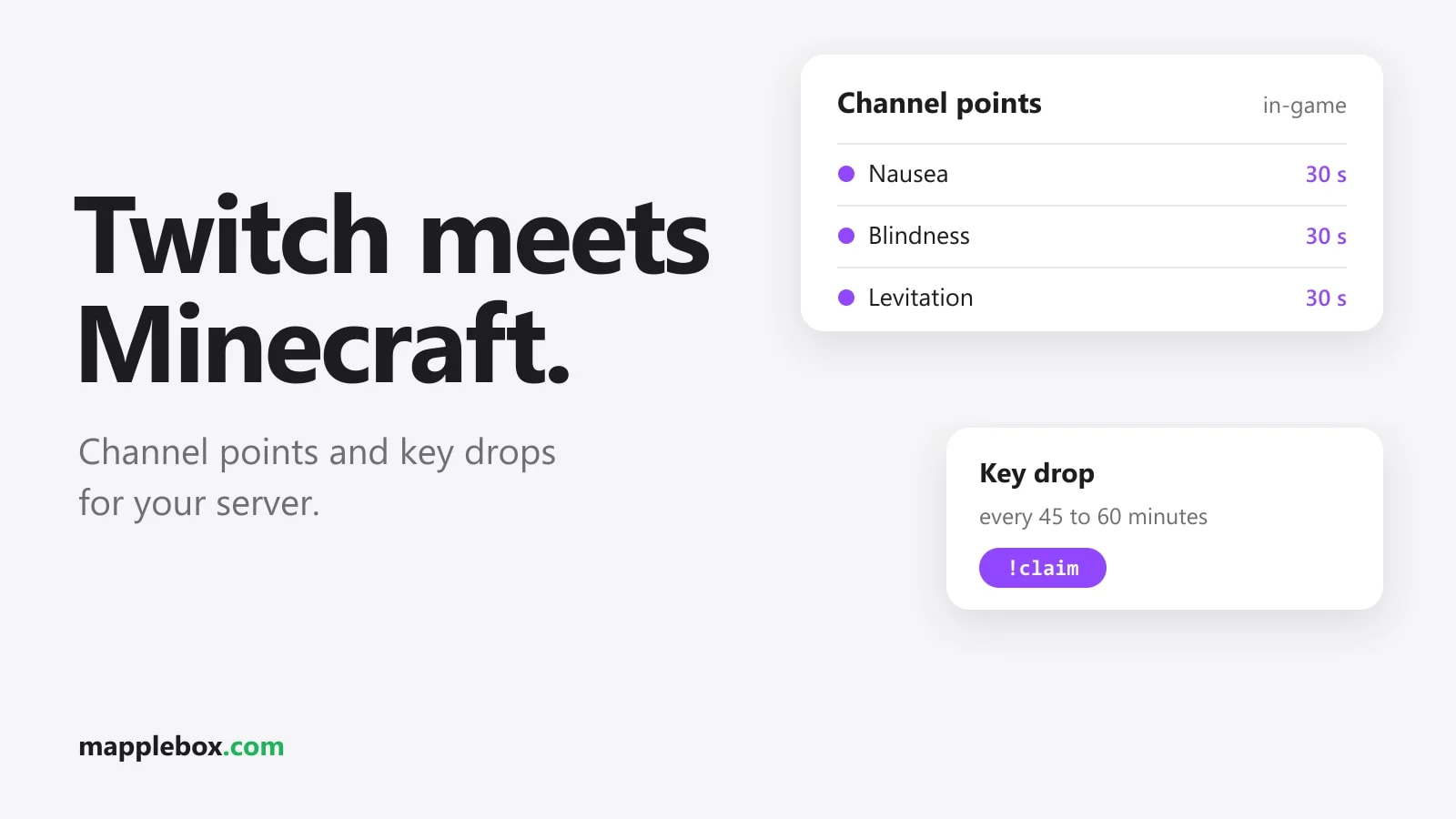
On CobbleBox it works like this. When a linked streamer streams Minecraft, the bot drops a key in chat every 45 to 60 minutes. Viewers type !claim within two minutes, and then the bot draws a winner. Most of the time it’s a Poké key, with a 10 percent chance of a Pokémon key. The prize lands in the inventory the next time the player is online. The bot also answers commands like !stats, !potd (Pokémon of the day) and !missionen (missions) from data the server website already generates.
The streamer gets a streamer crate after 30 minutes of streaming. Bits, subs and raids set off a particle firework above their character, and channel points trigger short effects like nausea, blindness or levitation. It’s all cosmetic or harmless. Nobody gets items through Bits or channel points.
The architecture at a glance
The setup has four building blocks that talk to each other through JSON files (simple data files):
- The website where players link their Twitch account to their Minecraft account. The result is a file that maps each Twitch login to a player name and UUID.
- The chat bot as a systemd service (a Linux service that runs permanently). It sits in the chats over IRC (the protocol behind Twitch chat), encrypted with TLS. There it checks who’s live, runs the drops and answers commands.
- One EventSub thread per streamer inside the bot process. EventSub is Twitch’s notification service, and a thread is a side task running in parallel inside the program. It listens for channel point redemptions over a WebSocket (a connection that stays open).
- The panel API, which the bot uses to send console commands to the server. An API is an interface for programs. On top of that there’s a reward queue for prizes going to players who are offline at the moment.
You choose which channels the bot joins on an admin page. The bot rereads the list every minute, joins new channels with JOIN and leaves removed ones with PART, all without a restart.
The website, admin page and reward queue are custom code on CobbleBox. You don’t need them to build this. In this guide you replace them with simple pieces: a viewers.json file instead of the website, a channel list in the config instead of the admin page and a small RCON delivery loop instead of the reward queue.
If you put all Python code blocks into one file bot.py in the order of this guide (with the start block from step 5 at the very end), you get a skeleton with login, chat, live check, drops, RCON delivery and channel points. You fill in the panel address, server ID and API key from step 6 yourself. Some parts that run on CobbleBox are deliberately left out, and you write them yourself if you want them: handling Bits, subs and raids, the four-second spacing and the 20-second lockout for effects, the admin command !drop, the state file for running drops and commands like !stats. The text points it out whenever a part is missing from the skeleton.
The chat messages and reward names in the code are in German, because that’s what CobbleBox uses. Change those strings to your community’s language. If you rename the effect keys like feuerwerk or schweben, change them everywhere they appear.
Preparation: register a Twitch app
Before you can create an app, two-factor authentication (2FA) has to be enabled on your Twitch account. Then do this:
- Open the Twitch Developer Console, switch to “Applications” and click “Register Your Application”.
- Enter a unique name. As the OAuth Redirect URL, enter
http://localhostand click “Add”. The device code flow doesn’t use the address, but the form requires one. - Pick a category, for example “Chat Bot”, and “Public” as the client type.
- After “Create”, open the app with “Manage” and copy the Client ID.
A public client has no client secret and may only use the device code flow. That’s enough for the bot and for the streamer logins in this guide. If you later want to build a real website with a “Connect with Twitch” button, you need the authorization code flow, and that only works with a confidential app that has a client secret. Then the bot also needs the secret to refresh tokens.
For channel points there’s one more rule: the bot, the streamer login and any website must all use the same Client ID. Twitch only lets the app that created a reward change the status of its redemptions. With a second app you can’t set the first app’s rewards to FULFILLED or CANCELED.
The helpers for HTTP, tokens and JSON
The code samples in this guide rely on a few small functions. They go at the top of your bot script, and the bot reads the Client ID from an environment variable. access_token refreshes the token automatically when it expires in less than five minutes, and saves the new refresh token every time:
import json, os, random, re, socket, ssl, struct, sys, time, queue, threading
import urllib.error, urllib.parse, urllib.request

CLIENT_ID = os.environ["TWITCH_CLIENT_ID"]
VIEWERS_FILE, DROPS_FILE, DELIVERED_FILE = "viewers.json", "drops.json", "delivered.json"

def post_form(url, fields):                    # form POST, returns (status, JSON)
    data = urllib.parse.urlencode(fields).encode()
    try:
        with urllib.request.urlopen(urllib.request.Request(url, data=data), timeout=15) as r:
            return r.status, json.load(r)
    except urllib.error.HTTPError as e:
        return e.code, json.load(e)

def http(method, url, token, client_id, body=None):   # Helix call with JSON
    req = urllib.request.Request(url, method=method,
        data=None if body is None else json.dumps(body).encode(),
        headers={"Authorization": f"Bearer {token}", "Client-Id": client_id,
                 "Content-Type": "application/json"})
    with urllib.request.urlopen(req, timeout=15) as r:
        raw = r.read()
    return json.loads(raw) if raw else {}

def read_json(path, default):
    try:
        with open(path, encoding="utf-8") as f:
            return json.load(f)
    except FileNotFoundError:
        return default

def write_json(path, data):                    # atomic write
    with open(path + ".tmp", "w", encoding="utf-8") as f:
        json.dump(data, f, ensure_ascii=False)
    os.replace(path + ".tmp", path)

def save_token(t, path="bot_token.json"):
    t["expires_at"] = time.time() + t.get("expires_in", 0)
    write_json(path, t)
    os.chmod(path, 0o600)                      # readable only by your user

def access_token(path="bot_token.json"):
    t = read_json(path, None)
    if t is None:
        raise RuntimeError(f"{path} is missing, log in first: python3 bot.py --login (streamers: --login-streamer channelname)")
    if t["expires_at"] - time.time() < 300:
        status, new = post_form("https://id.twitch.tv/oauth2/token", {
            "client_id": CLIENT_ID, "grant_type": "refresh_token",
            "refresh_token": t["refresh_token"]})       # public client: no secret
        if status != 200:
            raise RuntimeError(f"Token-Refresh fehlgeschlagen, bitte neu einloggen: {new}")
        save_token(new, path)                  # always save the new refresh token
        t = new
    return t["access_token"]
With a public client, every refresh token expires 30 days after it was issued, and a refresh token stops working once it’s been used. That’s why access_token saves the new one after every refresh. If the bot doesn’t run at all for more than 30 days, you have to repeat the login from step 2.
Step 1: Link the Twitch account on the website
Without a link, the bot doesn’t know which viewer is which player. On CobbleBox every player has a trainer page with a “Connect with Twitch” button. After that, a file records which Twitch login belongs to which Minecraft name and UUID. Anyone who types !claim during a drop without being linked gets a short reply from the bot with a link to the trainer page.
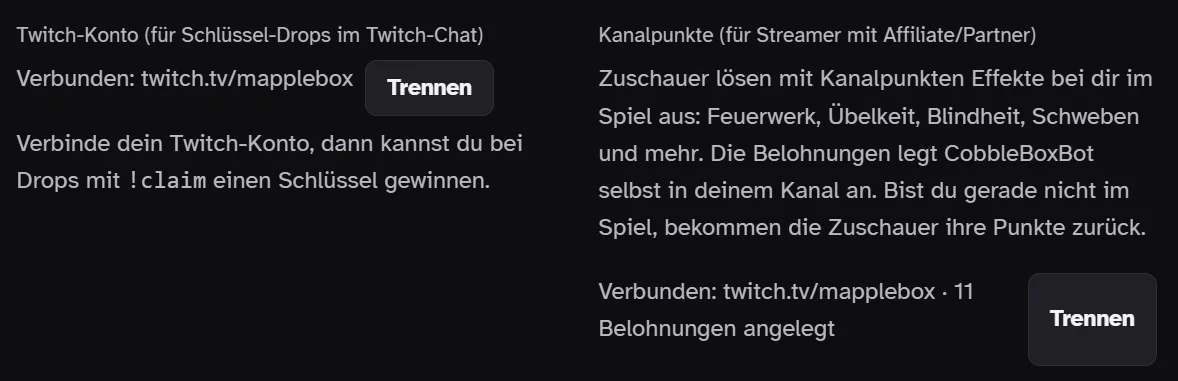
Streamers also link up for channel points. For that the streamer signs in with the scopes channel:read:redemptions and channel:manage:redemptions. Scopes are the permissions the app asks for. The web server stores the tokens (access keys) locally. The bot uses the same link to find the streamer in the game: effects go to the Minecraft name that belongs to that Twitch channel.
How to do it without your own website
To start, maintain the mapping by hand in viewers.json. The key is the Twitch login in lowercase, followed by the Minecraft name and UUID:
{
  "viewer_login": {"name": "PlayerName", "uuid": "0f1e2d3c-4b5a-6978-8796-a5b4c3d2e1f0"}
}
You’ll find the UUID of any player who has been on your server before in the file usercache.json in the server directory, as an entry with name and uuid. Viewers send you their Twitch name and Minecraft name, for example on Discord, and you add them. The bot rereads the file on every drop, so no restart is needed.
Streamers link up for channel points with the same device code flow as the bot in step 2, just with the scopes channel:read:redemptions channel:manage:redemptions and their own token file. You start the login, send the streamer the link and code, they confirm with their Twitch account, and the token ends up on your server. Add the streamer’s Minecraft name to viewers.json the same way.
Step 2: The bot and the device code flow
You create an app on dev.twitch.tv and a separate Twitch account for the bot. As a public client, the app needs no client secret (app password). That’s why the device code flow (signing in by entering a code on a web page) suits a bot on a server without a browser. Run the script once with --login, open the link it shows, sign in as the bot account and enter the code. The script below fetches the login code, shows it and keeps asking until Twitch hands over the token.
SCOPES = "chat:read chat:edit moderator:read:followers"

def login(client_id, scopes=SCOPES, path="bot_token.json"):
    status, d = post_form("https://id.twitch.tv/oauth2/device",
                          {"client_id": client_id, "scopes": scopes})
    if status != 200:
        sys.exit(f"Device-Login fehlgeschlagen: {d}")
    print(f"Öffne {d['verification_uri']} und gib {d['user_code']} ein")
    deadline = time.time() + d.get("expires_in", 1800)
    while time.time() < deadline:
        time.sleep(d.get("interval", 5))
        status, t = post_form("https://id.twitch.tv/oauth2/token", {
            "client_id": client_id, "scopes": scopes,
            "device_code": d["device_code"],
            "grant_type": "urn:ietf:params:oauth:grant-type:device_code"})
        if status == 200:
            save_token(t, path)    # access, refresh, expires (file with chmod 600)
            return
        if t.get("message") not in ("authorization_pending", "slow_down"):
            sys.exit(f"Login fehlgeschlagen: {t}")
    sys.exit("Code abgelaufen")

if "--login" in sys.argv:                  # python3 bot.py --login
    login(CLIENT_ID); sys.exit()
if "--login-streamer" in sys.argv:         # python3 bot.py --login-streamer channelname
    name = sys.argv[-1].lower()
    login(CLIENT_ID, "channel:read:redemptions channel:manage:redemptions",
          f"streamer_{name}.json")
    sys.exit()
If the access token expires in less than five minutes, the bot uses the refresh token (a key used only for renewing) to get a new one, again without a secret. Then the bot connects to Twitch IRC over TLS and sends PASS oauth:… and NICK. It also requests the capabilities twitch.tv/tags and twitch.tv/commands. You need the tags because Bits are listed in a chat message’s tags. Subs and raids arrive as USERNOTICE with a msg-id. If the connection drops or Twitch sends a RECONNECT, the bot reconnects. The wait time doubles each time, from 5 up to a maximum of 300 seconds.
The connection goes to irc.chat.twitch.tv on port 6697 with TLS. First comes PASS oauth:<token>, then NICK with the bot account’s login in lowercase, then CAP REQ and one JOIN #channel per channel. Twitch regularly sends a PING :tmi.twitch.tv, and you answer with PONG :tmi.twitch.tv, or Twitch drops the connection. In this basic version, the channel list lives in a config.json as {"channels": ["streamer1", "streamer2"]}. So the bot can handle drops and live checks on the side, it waits at most one second for new data and calls tick from step 3 about once per second, regardless of chat traffic:
BOT_LOGIN = os.environ["TWITCH_BOT_LOGIN"]
CHANNELS = [c.lower() for c in read_json("config.json", {}).get("channels", [])]
PRIVMSG = re.compile(r"^(?:@(\S+) )?:(\w+)!\S+ PRIVMSG #(\w+) :(.*)$")
USERSTATE = re.compile(r"^@(\S+) :tmi\.twitch\.tv USERSTATE #(\w+)")

class Chat:
    def __init__(self, sock):
        self.sock = sock
    def send(self, line):
        self.sock.sendall((line + "\r\n").encode())
    def say(self, channel, text):
        self.send(f"PRIVMSG #{channel} :{text}")

def irc_connect():
    raw = socket.create_connection(("irc.chat.twitch.tv", 6697), timeout=15)
    chat = Chat(ssl.create_default_context().wrap_socket(raw, server_hostname="irc.chat.twitch.tv"))
    chat.send(f"PASS oauth:{access_token()}")
    chat.send(f"NICK {BOT_LOGIN.lower()}")
    chat.send("CAP REQ :twitch.tv/tags twitch.tv/commands")
    for c in CHANNELS:
        chat.send(f"JOIN #{c}")
    chat.sock.settimeout(1)
    return chat

def run():
    delay = 5
    while True:
        try:
            chat, buf, last_tick = irc_connect(), b"", 0
            while True:
                try:
                    data = chat.sock.recv(4096)
                    if not data:
                        raise ConnectionError("Verbindung geschlossen")
                except socket.timeout:
                    data = None                       # no new data
                if data:
                    delay, buf = 5, buf + data
                    *lines, buf = buf.split(b"\r\n")
                    for line in lines:
                        line = line.decode("utf-8", "replace")
                        if line.startswith("PING"):
                            chat.send("PONG" + line[4:])
                        elif line.endswith(" RECONNECT"):
                            raise ConnectionError("Twitch verlangt RECONNECT")
                        else:
                            handle_line(chat, line)
                if time.time() - last_tick >= 1:     # tick runs even when chat is busy
                    last_tick = time.time()
                    try:
                        tick(chat)                    # step 3
                    except Exception as e:
                        print("tick-Fehler:", e)
        except OSError as e:                          # includes ConnectionError
            print(f"IRC getrennt ({e}), neuer Versuch in {delay} s")
            time.sleep(delay)
            delay = min(delay * 2, 300)

def handle_line(chat, line):
    m = USERSTATE.match(line)
    if m:                                             # is the bot a mod in this channel?
        state["mod"][m[2]] = "mod=1" in m[1].split(";")
    m = PRIVMSG.match(line)
    if not m:
        return
    tags = dict(kv.split("=", 1) for kv in (m[1] or "").split(";") if "=" in kv)
    login, channel, text = m[2], m[3], m[4].strip()
    if text.lower() == "!claim" and channel in state["claims"]:
        state["claims"][channel].append(login)
    # tags.get("bits") holds Bits; handle USERNOTICE (subs, raids) here as well
In this basic version, you write two parts yourself: handling Bits and USERNOTICE for the effects from step 6, and the other chat commands like !stats. For new chat bots, Twitch now recommends EventSub and the Helix API. IRC still works and is simpler to start with.
Step 3: Live check and key drops
Drops only happen while a channel is live. So every two minutes the bot checks the stream status with the bot token. It uses the Get Streams endpoint (a query address) of Helix, the official Twitch API. If that fails, the decapi service steps in as a fallback. Helix gives your app a budget of points per minute (rate limit), and most requests cost one point. Twitch sends the size of the budget in the Ratelimit-Limit header of every response (Twitch docs). That easily covers a few channels every two minutes. A channel only counts as live if Minecraft is set as the game.
For each live channel, the bot picks a random time 45 to 60 minutes away. When that time comes, the bot announces the drop and collects every !claim for two minutes. Only someone can win who
- has linked their Twitch account,
- follows the channel (the bot checks this through the Helix followers API, which requires it to be a mod (moderator) in the channel),
- isn’t the streamer
- and hasn’t already won five drops today.
To keep chat from getting spammed, the bot confirms new claims in batches, at most one message every ten seconds per channel. It also says who can’t win and why. The running drop is written to a state file (temporary storage), so a bot restart doesn’t lose any claims. Admins can also drop a specific key manually with !drop, at most every ten minutes per channel.
A simple basic version looks like this. check_live queries Get Streams for up to 100 channels at once and only counts streams playing Minecraft. You’ll find live_channels with the debounce further down under common problems. The batched confirmations, the state file, !drop and the decapi fallback are missing here. You can add them later:
state = {"next_check": 0, "live": set(), "misses": {}, "drop_at": {},
         "claims": {}, "until": {}, "mod": {}, "next_delivery": 0}

def check_live(chans):
    try:
        q = "&".join("user_login=" + c for c in chans)
        data = http("GET", f"https://api.twitch.tv/helix/streams?{q}",
                    access_token(), CLIENT_ID)["data"]
    except Exception:
        return {c: None for c in chans}          # no answer doesn't count as offline
    playing = {s["user_login"]: s.get("game_name") == "Minecraft" for s in data}
    return {c: playing.get(c, False) for c in chans}

def tick(chat):
    now = time.time()
    if now >= state["next_check"]:               # every two minutes
        state["next_check"] = now + 120
        state["live"] = live_channels(CHANNELS, state["live"], state["misses"])
        for c in list(state["drop_at"]):
            if c not in state["live"]:
                del state["drop_at"][c]          # offline: discard timer
        for c in state["live"]:
            state["drop_at"].setdefault(c, now + random.randint(45 * 60, 60 * 60))
    for c, t in list(state["drop_at"].items()):
        if now >= t and c not in state["until"]:
            chat.say(c, "Key-Drop! Schreib jetzt !claim, du hast zwei Minuten.")
            state["claims"][c], state["until"][c] = [], now + 120
            del state["drop_at"][c]
    for c, t in list(state["until"].items()):
        if now >= t:
            del state["until"][c]
            resolve_drop(chat, c, state["claims"].pop(c), now)   # step 4
    if now >= state["next_delivery"]:            # deliver prizes, step 4
        state["next_delivery"] = now + 120
        deliver()
    process_redemptions()                        # channel points, step 6
claim_problem returns a short reason why someone can’t win, or None. For the follower check the bot needs the Twitch user IDs, which it gets through Get Users. If the bot isn’t a mod in the channel (Twitch reports that through USERSTATE on JOIN), the followers API returns no individual data, so the code skips the check and blocks nobody:
def wins_today():
    midnight = time.mktime(time.localtime()[:3] + (0, 0, 0, 0, 0, -1))
    won = {}
    for w in read_json(DROPS_FILE, []):
        if w["t"] >= midnight:
            won[w["login"]] = won.get(w["login"], 0) + 1
    return won

def follows(login, channel):
    if not state["mod"].get(channel):
        return True
    try:
        users = http("GET", f"https://api.twitch.tv/helix/users?login={login}&login={channel}",
                     access_token(), CLIENT_ID)["data"]
        ids = {u["login"]: u["id"] for u in users}
        r = http("GET", "https://api.twitch.tv/helix/channels/followers"
                 f"?broadcaster_id={ids[channel]}&user_id={ids[login]}",
                 access_token(), CLIENT_ID)
        return bool(r["data"])
    except Exception:
        return True                              # query broken: block nobody

def claim_problem(login, channel, viewers, won):
    if login == channel:
        return "Streamer können nicht gewinnen"
    if login not in viewers:
        return "Twitch-Konto nicht verbunden"
    if won.get(login, 0) >= 5:
        return "heute schon fünf Drops gewonnen"
    if not follows(login, channel):
        return "folgt dem Kanal nicht"
    return None
Step 4: Deliver prizes through the reward queue
The bot never hands out items itself. It appends the prize to a file with the Twitch login, UUID, player name, key type and timestamp (the last 500 entries are kept). A timer (a Linux alarm clock for scripts) runs the website script every two minutes. That script reads the file and moves new prizes into the server’s reward queue. The queue delivers straight into the inventory as soon as the player is online, whether the winner is playing right now or just watching.
The code draws the winner from all valid claims, rolls the key type and writes the prize to the file.
def resolve_drop(chat, channel, claims, now):
    viewers, won = read_json(VIEWERS_FILE, {}), wins_today()
    claims = list(dict.fromkeys(claims))              # remove duplicate claims
    eligible = [u for u in claims
                if not claim_problem(u, channel, viewers, won)]
    if not eligible:
        chat.say(channel, "Diesmal konnte niemand gewinnen.")
        return
    login = random.choice(eligible)
    v = viewers[login]                                # {"uuid": ..., "name": ...}
    key = "pokemon_key" if random.random() < 0.1 else "poke_key"
    wins = read_json(DROPS_FILE, [])
    wins.append({"id": f"{int(now)}-{channel}", "login": login,
                 "uuid": v["uuid"], "name": v["name"],
                 "key": key, "t": int(now)})
    write_json(DROPS_FILE, wins[-500:])               # website script -> reward queue
    chat.say(channel, f"@{login} ({v['name']}) gewinnt! Kommt ins Inventar, "
                      "sobald du online bist.")
Simple delivery over RCON
Without your own reward queue, a small loop in the bot handles delivery. It asks over RCON who’s online, gives those players their pending prizes and records in delivered.json what has already been delivered. Anyone offline gets their prize on the next run once they’re back online. Enable RCON in server.properties and restart the server afterwards:
enable-rcon=true
rcon.port=25575
rcon.password=a-long-random-password
Don’t expose the RCON port to the internet. If the bot runs on a different machine than the server, allow the port in the firewall only for the bot’s IP. With Pelican you also have to assign the port to the server as an allocation. The RCON client only needs the standard library:
RCON_HOST = os.environ.get("RCON_HOST", "127.0.0.1")
RCON_PORT = int(os.environ.get("RCON_PORT", "25575"))
RCON_PASSWORD = os.environ["RCON_PASSWORD"]

# example: adjust to the command of your crate plugin or mod
GIVE = {"poke_key":    "give {name} minecraft:diamond 1",
        "pokemon_key": "give {name} minecraft:diamond 3"}

def _recv(s, n):
    buf = b""
    while len(buf) < n:
        chunk = s.recv(n - len(buf))
        if not chunk:
            raise ConnectionError("RCON getrennt")
        buf += chunk
    return buf

def rcon(cmd):
    with socket.create_connection((RCON_HOST, RCON_PORT), timeout=10) as s:
        for req_id, kind, body in ((1, 3, RCON_PASSWORD), (2, 2, cmd)):   # 3 = login, 2 = command
            data = struct.pack("<ii", req_id, kind) + body.encode() + b"\x00\x00"
            s.sendall(struct.pack("<i", len(data)) + data)
            size = struct.unpack("<i", _recv(s, 4))[0]
            resp_id, _ = struct.unpack("<ii", _recv(s, 8))
            text = _recv(s, size - 8)[:-2].decode("utf-8", "replace")
            if resp_id == -1:
                raise PermissionError("RCON-Passwort falsch")
        return text

def online_players():
    text = rcon("list")      # "There are 2 of a max of 20 players online: Alex, Steve"
    names = text.split(":", 1)[1] if ":" in text else ""
    return {n.strip() for n in names.split(",") if n.strip()}

def deliver():
    done = set(read_json(DELIVERED_FILE, []))
    online = online_players()
    for w in read_json(DROPS_FILE, []):
        if w["id"] in done or w["name"] not in online:
            continue                             # already delivered or offline
        rcon(GIVE[w["key"]].format(name=w["name"]))
        done.add(w["id"])
        write_json(DELIVERED_FILE, sorted(done))   # record right away, never give twice
Only the GIVE table is specific to your server. You can test everything with the vanilla give command. For real keys, enter the command of your crate plugin or mod, exactly as it works in the server console. tick from step 3 calls deliver every two minutes.
Step 5: Channel points with EventSub
Channel point redemptions don’t show up in IRC chat. For those you use EventSub over WebSocket. The bot starts a separate thread for each linked streamer. On first start, the thread creates eleven rewards in the channel, from fireworks for 500 points up to blindness and levitation for 5000 points, each with a global cooldown (a lockout period after a redemption) of 60 to 300 seconds. This only works on Affiliate or Partner channels. If the channel is neither, the bot just writes a message to the log and keeps running without channel points. Rewards the streamer created themselves are matched by keywords in the title, such as “blind” or “levit”.
The bot creates the rewards with the streamer’s token through Create Custom Rewards. Each channel allows at most 50 rewards, and the title can be at most 45 characters. Save the IDs of the rewards you create, because those are the only ones your app may set the status for later. The prices and cooldowns here are example values:
REWARDS = [("Feuerwerk", 500, 60, "feuerwerk"), ("Übelkeit", 2000, 120, "uebelkeit"),
           ("Blindheit", 5000, 300, "blind"), ("Schweben", 5000, 300, "schweben")]
REDEMPTIONS = queue.Queue()

def create_rewards(broadcaster_id, token_file):
    mine = {}
    for title, cost, cooldown, effect in REWARDS:
        r = http("POST", "https://api.twitch.tv/helix/channel_points/custom_rewards"
                 f"?broadcaster_id={broadcaster_id}", access_token(token_file), CLIENT_ID,
                 body={"title": title, "cost": cost, "is_global_cooldown_enabled": True,
                       "global_cooldown_seconds": cooldown})
        mine[r["data"][0]["id"]] = effect
    return mine                                  # {reward_id: effect}, save as JSON

def set_status(broadcaster_id, token_file, reward_id, redemption_id, status):
    http("PATCH", "https://api.twitch.tv/helix/channel_points/custom_rewards/redemptions"
         f"?id={redemption_id}&broadcaster_id={broadcaster_id}&reward_id={reward_id}",
         access_token(token_file), CLIENT_ID, body={"status": status})   # FULFILLED or CANCELED

KEYWORDS = {"blind": "blind", "levit": "schweben", "schweb": "schweben",
            "übel": "uebelkeit", "feuerwerk": "feuerwerk"}

def effect_for_title(title):                     # match self-made rewards by keyword
    t = title.lower()
    return next((e for k, e in KEYWORDS.items() if k in t), None)
For EventSub you need the websocket-client package (pip install websocket-client), because the standard library can’t do WebSockets. The bot connects to wss://eventsub.wss.twitch.tv/ws?keepalive_timeout_seconds=30. After connecting, Twitch sends a session_welcome with a session ID. Use it to subscribe to the redemption event within 10 seconds, or Twitch closes the connection. The subscription needs a user access token from the streamer. An app token doesn’t work with WebSockets. After that, redemptions arrive as notification.
On session_reconnect, connect immediately to the included reconnect_url, exactly as it is. The subscriptions move over automatically, so you don’t subscribe again. Only close the old connection once the session_welcome has arrived on the new one. If the connection simply drops (no keepalive within the 30 seconds), open a fresh connection and subscribe again. Here’s the thread for each streamer:
import websocket                                 # pip install websocket-client

FRESH_URL = "wss://eventsub.wss.twitch.tv/ws?keepalive_timeout_seconds=30"

def eventsub(login, broadcaster_id, token_file, my_rewards):
    url, subscribed, old = FRESH_URL, False, None
    while True:
        try:
            ws = websocket.create_connection(url, timeout=40)   # keepalive 30 s, so 40 s timeout
            while True:
                msg = json.loads(ws.recv())
                kind = msg["metadata"]["message_type"]
                if kind == "session_welcome":
                    if old:
                        old.close()
                        old = None
                    if not subscribed:           # only on a fresh connection, never after reconnect
                        http("POST", "https://api.twitch.tv/helix/eventsub/subscriptions",
                             access_token(token_file), CLIENT_ID, body={
                                 "type": "channel.channel_points_custom_reward_redemption.add",
                                 "version": "1",
                                 "condition": {"broadcaster_user_id": broadcaster_id},
                                 "transport": {"method": "websocket",
                                               "session_id": msg["payload"]["session"]["id"]}})
                        subscribed = True
                elif kind == "session_reconnect":
                    url, old = msg["payload"]["session"]["reconnect_url"], ws
                    break                        # new connection, old one stays open until welcome
                elif kind == "notification":
                    ev = msg["payload"]["event"]
                    rid = ev["reward"]["id"]
                    effect = my_rewards.get(rid) or effect_for_title(ev["reward"]["title"])
                    if effect:
                        REDEMPTIONS.put((login, effect, ev["user_name"], ev["id"], rid))
        except Exception as e:                   # timeout, disconnect, HTTP error
            print(f"EventSub {login}: {e}")
            url, subscribed = FRESH_URL, False
            time.sleep(5)
At startup, the bot gets the broadcaster ID for each streamer (GET https://api.twitch.tv/helix/users without parameters returns the token’s owner), creates the rewards the first time and starts the thread. Then the IRC loop from step 2 runs. This startup block goes at the very end of bot.py, after all the functions from this guide, including those from step 6 and the common problems section:
BROADCASTERS = {}                                # channel -> broadcaster_id

for name in CHANNELS:
    token_file = f"streamer_{name}.json"
    if not os.path.exists(token_file):
        continue                                 # streamer hasn't linked up
    try:
        me = http("GET", "https://api.twitch.tv/helix/users", access_token(token_file), CLIENT_ID)
        bid = me["data"][0]["id"]
        rewards_file = f"rewards_{name}.json"
        mine = read_json(rewards_file, None)
        if mine is None:
            mine = create_rewards(bid, token_file)   # fails without Affiliate/Partner
            write_json(rewards_file, mine)
        BROADCASTERS[name] = bid
        threading.Thread(target=eventsub, args=(name, bid, token_file, mine), daemon=True).start()
    except Exception as e:
        print(f"Kanalpunkte für {name} deaktiviert: {e}")
        continue

run()
The thread puts each redemption into a queue, and the bot’s main loop works through it. Then the bot sets the redemption to FULFILLED (done) through Helix. Sometimes the streamer isn’t in the game right now, or the same potion effect already fired less than 20 seconds ago. In that case the bot sets it to CANCELED and the viewer gets their points back. This only works for rewards your own app created.
Step 6: Trigger effects through the panel console
Bits, subs, raids and channel points all go into the same effect queue. The bot fires at most one effect every four seconds per streamer, and the rest wait. The tiers depend on the occasion: under 100 Bits a small firework, from 100 Bits and for subs a bigger one, from 500 Bits and for raids the big one. From 1000 Bits, five gifted subs or a raid with 20 viewers, the streamer also gets a title on screen and all players get a chat line.
The channel point effects are regular potion effects lasting at least 30 seconds, never lethal. Levitation is the only special case: six seconds of levitation, then 30 seconds of slow falling for a soft landing. The firework is a function from a datapack (a bundle of custom commands that runs without mods) with a macro parameter (placeholder) for the player name. The code maps the rewards to potion effects and sends everything as console commands through the client API of the Pelican Panel (the game panel on CobbleBox):
POTIONS = {
    "uebelkeit": [("nausea", 30, 0)],
    "blind":     [("blindness", 30, 0)],
    "schweben":  [("levitation", 6, 1), ("slow_falling", 30, 0)],
}

def console(cmd):
    req = urllib.request.Request(
        "https://panel.example.com/api/client/servers/<server-id>/command",
        data=json.dumps({"command": cmd}).encode(), method="POST",
        headers={"Authorization": "Bearer <panel-api-key>",
                 "Content-Type": "application/json", "Accept": "application/json"})
    urllib.request.urlopen(req, timeout=10)

def fire_effect(player, effect, text):
    if effect in POTIONS:
        for eff, sec, lvl in POTIONS[effect]:
            console(f"effect give {player} minecraft:{eff} {sec} {lvl} true")
    console(f'function example:feuerwerk_klein {{player:"{player}"}}')
    console(f'title {player} actionbar {{"text":"{text}","color":"light_purple"}}')
You create the panel API key in Pelican through your profile (top right) on the “API Keys” tab with “Create API Key”. It’s a client key, so it can do exactly what your panel user can do. Under “Allowed IPs” you can restrict it to the bot’s IP. The server ID is in the address when you open the server in the panel: for https://panel.example.com/server/1a2b3c4d it’s 1a2b3c4d. The console command only gets through while the server is running.
The main loop takes the redemptions from the queue, triggers the effect and then sets the status. Here’s a minimal version without the four-second gap and the 20-second lockout for identical potions. tick from step 3 already calls it, and you add the lockouts yourself:
def process_redemptions():
    viewers = read_json(VIEWERS_FILE, {})
    while not REDEMPTIONS.empty():
        login, effect, viewer, redemption_id, reward_id = REDEMPTIONS.get()
        player = viewers.get(login, {}).get("name")          # streamer's Minecraft name
        try:
            online = player in online_players()
        except Exception:                                    # RCON unreachable
            online = False
        if online:
            fire_effect(player, effect, f"{viewer} hat {effect} eingelöst")
        if reward_id in read_json(f"rewards_{login}.json", {}):   # only our own rewards
            set_status(BROADCASTERS[login], f"streamer_{login}.json", reward_id,
                       redemption_id, "FULFILLED" if online else "CANCELED")
The firework itself is a function in a datapack. For Minecraft 1.21 and 1.21.1 a datapack uses format 48, and functions live in the function folder (singular). In the world folder (default: world, see level-name in server.properties), create these two files:
world/datapacks/twitch_effekte/pack.mcmeta
world/datapacks/twitch_effekte/data/example/function/feuerwerk_klein.mcfunction
Put this in pack.mcmeta:
{"pack": {"pack_format": 48, "description": "Twitch-Effekte"}}And put two macro lines in feuerwerk_klein.mcfunction. Lines starting with $ are macros, and $(player) is replaced by the name from the call function example:feuerwerk_klein {player:"Name"}:
$execute at $(player) run particle minecraft:firework ~ ~2 ~ 0.5 0.5 0.5 0.1 80 force
$execute at $(player) run playsound minecraft:entity.firework_rocket.blast master @a ~ ~ ~ 1 1
Then load the pack with reload in the server console. datapack list shows whether it’s active. For the bigger tiers, create more functions following the same pattern, for example with more particles.
The console doesn’t send a response back. For effects that’s fine. For queries that return a value, use RCON (a remote control for the server console). Also keep the panel’s rate limit in mind: on CobbleBox it’s about 60 write requests per minute, which is why there’s a gap between two effects.
📸 [Screenshot: channel point rewards in the Twitch channel and the effect in the game, Lion adds this]
Check that it works
For the first test you need a Twitch channel you can stream on yourself, a second Twitch account as a viewer and a Minecraft account that’s mapped to that viewer in viewers.json. Lower the drop wait time temporarily, for example random.randint(60, 120) instead of 45 to 60 minutes.
- Run
pip install websocket-clientand set the environment variablesTWITCH_CLIENT_ID,TWITCH_BOT_LOGINandRCON_PASSWORD(export NAME="value"). - Run
python3 bot.py --login, open the link, sign in as the bot account and enter the code. After that,bot_token.jsonsits next to the script. - Make the bot a mod in the test channel (
/mod botnamein chat) and add the channel toconfig.json. Start the bot withpython3 bot.py. - Start a test stream in the Minecraft category, for example from OBS. Within two minutes the live check detects the stream.
- When the bot announces the drop, the second account types
!claim. After two minutes the bot names the winner, anddrops.jsonhas a new entry. - Join the server with the Minecraft account. Within two minutes the item arrives, and the ID shows up in
delivered.json. - For channel points (Affiliate or Partner only): run
python3 bot.py --login-streamer channelname, restart the bot and check that the rewards appear in the channel. Then redeem a cheap reward with the second account while the streamer is in the game.
If nothing happens during the drop, check the bot’s output first. An HTTP Error 401 from Helix usually means the token belongs to a different Client ID than TWITCH_CLIENT_ID.
Common problems
Drops never showed up in the stream
In one stream on CobbleBox, the drops never came even though the streamer was streaming Minecraft. Back then the live check only used decapi, and decapi occasionally doesn’t answer or briefly returns the wrong result. A single negative check was enough for the channel to count as offline. As soon as a channel is offline, the bot deletes the planned drop time and rolls a new 45 to 60 minutes on the next positive check. If a glitch like that happens more than once an hour, the timer keeps resetting and the drop never happens.
I fixed it in two places. The live check now uses Helix Get Streams first, with decapi only as a fallback. The bot also has a debounce (a buffer against short glitches). A channel that was live only counts as offline after two negative checks in a row. If the check returns no answer at all, that doesn’t count as negative, and the channel just stays live. The code counts the negative checks per channel for this:
OFFLINE_AFTER = 2

def live_channels(chans, was, misses):
    status = check_live(chans)       # {channel: True | False | None (no answer)}
    live = set()
    for c in chans:
        if status.get(c):
            misses.pop(c, None)
            live.add(c)
        elif c in was:
            if status.get(c) is not None:
                misses[c] = misses.get(c, 0) + 1
            if misses.get(c, 0) < OFFLINE_AFTER:
                live.add(c)          # not offline yet, drop timer stays
            else:
                misses.pop(c, None)
    return live
Drops and messages in streams without Minecraft
A linked streamer doesn’t always stream Minecraft. If every stream counts as live, the bot drops keys for your server even during a completely different game and posts server messages in a chat that doesn’t care. That’s why the live check on CobbleBox looks at the game that’s set, and only Minecraft streams count as live. This applies to the drops as well as to server messages in chat and the live map on the website.
Smaller pitfalls
The follower check needs the scope moderator:read:followers and a bot that’s a mod in the channel. If the query fails, the bot blocks nobody, so a missing mod status doesn’t break every drop. With a gift bomb (lots of gifted subs at once), Twitch sends one summary message plus one message per sub. Skip the individual subgift messages that carry a community gift ID, or you get ten fireworks instead of one. For channel points, the prices are worth a look: viewers collect roughly 300 points per hour, so I halved the prices on CobbleBox on October 1, 2026. A small script pushes the new prices with a Helix PATCH to every channel where the rewards already exist.
Wrapping up
You can see it all live on CobbleBox at 2mc.mapplebox.de (the community speaks German, but everyone is welcome): link your Twitch account on the trainer page, watch a streamer and type !claim at the next drop. If you still need to set up your own server, the guide How to set up a Cobblemon server has the complete setup with the Pelican Panel, whose console the bot also uses to send its commands.
Did this guide help you? You can buy me a coffee on Ko-fi. It keeps MappleBox ad-free.